




Discover How to Get More Google Reviews for Your Business. Manage 8 Easy Steps: A Guide. This guide explains why reviews are important and shares practical tips, like using review links and QR codes, to build your online reputation.
Make sure to reply to all reviews and deal with negative feedback carefully. Start collecting more reviews and see your business succeed.
If you want to get more Google reviews for your business, there are a few simple strategies you can try.
Start by learning how to ask for reviews, manage your Google Business Profile, and reply to feedback helpfully.
Sharing a Google review link or a QR code can make it easier for your customers to leave their thoughts.
When you get negative reviews, respond carefully and follow the right guidelines to show you care about your customers.
Honest customer feedback is important for building trust and helping your local business grow.
If you want to get more local leads, focusing on your Google reviews should be a top priority.
But it’s important to note that you should never use fake reviews, buy testimonials, or try to boost your ratings in ways that seem suspicious.
Doing these things can get your business profile flagged or suspended, which can seriously damage your reputation.
What really matters is getting honest reviews from real customers.
Why are real reviews so important?
They help establish trust with prospective clients and are a crucial factor in how individuals evaluate a business’s credibility during local searches.
A BrightLocal survey found that 97% of people read reviews for local businesses, and 41% always check them when choosing local services.
Even though Google is the main source of local recommendations, people usually check about 6 different review sites when searching.
Shows that customers now look for a range of opinions before deciding what to buy.
For most businesses, reviews do two things: they help convince new clients to choose you, and they strengthen the trust signals on your Google Business Profile.
Google also emphasizes the importance of effectively managing your reviews. They recommend replying to customers and making it easy to leave a review by sharing direct links or QR codes.
These tools make it easier for customers to give feedback and show that you value their opinions.
If you want to get more Google reviews, don’t try to “game the system.”
Instead, focus on creating a simple, consistent process that encourages happy customers to leave honest feedback.
This post offers practical tips for achieving that.
How to Get More Google Reviews for Your Business? Manage 8 Easy Steps: A Guide
Understanding the Importance of Google Reviews
Why Are Google Reviews So Important?
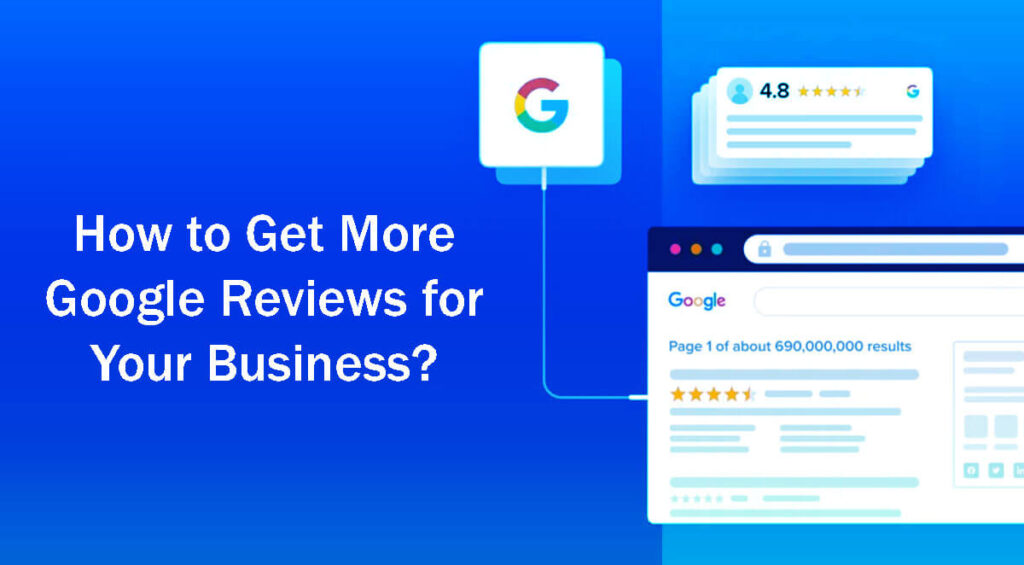
Many business owners still see Google reviews as just another part of their online presence, not as essential. But this is a mistake.
When people search for local services, your reviews often appear before they even visit your website.
They can quickly see your star rating, how many reviews you have, recent comments, and how you interact with customers—all without clicking on your profile.
Google’s own Business Profile resources highlight the role of reviews as a core element of how businesses communicate and engage with customers on both Google Search and Maps.
Because of this, your reviews have a big and immediate effect on three key parts of your business:
Credibility: Genuine reviews enhance your reputation and foster trust, making people more inclined to choose you.
Click-Through Rate (CTR): A strong review profile boosts website visits and conversions.
Conversion Rate: When someone finds your profile, good reviews can make them much more likely to become a paying customer.
As people keep comparing businesses and looking for recommendations, having weak or outdated Google reviews can hurt your reputation, even if your services are great.
BrightLocal’s research shows that people now rely more on reviews and expect them to be relevant and trustworthy.
The Common Pitfall for Businesses
A common mistake businesses make is not having a clear plan for asking for reviews.
Without a set process, many businesses forget to ask customers for feedback.
This inconsistency often means you stop getting new reviews.
Imagine a technician shows up on time, does a great job, and leaves the customer happy.
If no one asks for a review, that chance is lost.
Weeks later, someone in the office might send out a generic email to past customers asking for feedback. This last-minute approach doesn’t work as well.
The best time to ask for a Google review is right after a good experience, when the customer is still happy and remembers the details.
Google recommends this too. They suggest gently reminding happy customers to leave reviews and making it easy by sharing direct links or QR codes.
If you want more reviews, set up a clear system rather than relying on random efforts.
Laying the Right Foundation for Success
Before requesting more reviews, ensure your Google Business Profile is fully completed.
Means you need to claim your profile, verify it, and keep your information up to date.
Google only lets you respond to reviews if your profile is verified, so this step is key to managing feedback well.
Your profile should include these key details:
A precise and clear business name.
Correct and current operating hours.
A functioning link to your website.
An accurate phone number for easy contact.
Authentic photos that accurately showcase your services.
A thorough description detailing the range of services you provide.
It’s important to have all these details right. Without them, your efforts to get more reviews won’t work as well.
Potential clients want to know they’re dealing with a trustworthy business that’s open and cares about keeping customers happy.
By building a strong profile, you gain credibility and make it easier to get positive reviews.
Use the Google Review Link to Collect Feedback Easily

One of the best ways to get more customer reviews is to make it as easy as possible for people to share their experiences.
Google makes it easy to request reviews by providing a direct link or a QR code that you can quickly create from your Google Business Profile.
If you haven’t used this feature before, it’s simple to find. Just go to your Google Business Profile, click the reviews tab, and choose the “Get more reviews” option.
Offers a direct link to your review page or a QR code for instant sharing.
With this direct link, customers don’t have to search for your business online, making the process much smoother.
Customers can skip searching for your business or figuring out how to leave feedback. Everything they need is in one link.
Remember, the more steps you ask customers to take, the less likely they are to leave a review.
To get the most reviews, make a master review link and keep it handy.
You can share this link in text messages, emails, invoices, thank-you pages, or even on business cards and brochures.
Request a Review from Every Satisfied Customer
Many businesses miss out on valuable feedback because they only ask their biggest fans for reviews or wait too long before asking at all.
This approach doesn’t work well, since it ignores all the other customers who had a good experience.
If a customer is happy, ask them for feedback.
The important thing is to ask in a way that feels honest and not pushy.
A short, sincere message can encourage a customer to leave a review without making them feel pressured:
“Thank you once again for choosing us.
If you have a moment, we’d really appreciate it if you could leave us a quick review on Google. Here’s the link: [link].”
This simple request is supposed to be quick and easy, so you don’t have to come up with anything complicated.
If you make it a habit to ask for feedback, you’ll see a big improvement in the number of reviews you get.
Request Reviews at the Right Moment
When you ask for a review, it matters a lot—sometimes more than you might think.
The best time to ask is when customers are still satisfied with your service or product.
These moments can include:
Immediately following the completion of a service call.
Right after a successful product installation.
When a customer verbally expresses their satisfaction with the service received.
After resolving a customer issue or complaint effectively.
Following a seamless patient visit in a healthcare setting.
After you finish a project, the experience is still fresh in the customer’s mind.
The sooner you ask for a good experience, the more likely you are to get a positive review.
Aligns with Google’s advice by reminding customers and making the review process simple with a direct link or QR code.
Send Text Messages for Quick, Effective Results
For many local and service businesses, sending a text is one of the quickest and most effective ways to get reviews.
Texting has a lot of benefits. It’s instant, lets customers reply quickly, and is less likely to get lost like an email might.
This speed is especially helpful for businesses like home services, repairs, healthcare visits, or any time the customer is still on their phone after the service.
Here’s an example of a simple and effective text message:
“Thank you for choosing [Business Name].
If you were satisfied with our service today, we would greatly appreciate a quick Google review: [link].”
Keeping your message short and to the point makes it feel friendly and more likely that the customer will respond.
Use Email as a Backup Follow-Up Method
Email is still useful for requesting reviews, especially for professional services, B2B clients, or larger projects. But it works best as part of a larger follow-up plan, not as your only way to get reviews.
When you send an email, try to keep it brief and include a direct link to your review page to make things easier for everyone.
Here’s an example of a clear, straightforward email:
Subject: Thank You for Choosing Us!
Body:
“Thank you once again for choosing us. If you could spare a moment, we’d be grateful if you could take a few moments to leave us a quick review on Google.
Here’s the direct link: [link].”
Just like with text messages, keeping your emails simple works best.
Encourage Your Team to Request Reviews Authentically

Building a culture where everyone helps generate reviews works better than leaving it all to the owner or marketing team.
It’s important to encourage everyone on your team, from front desk staff to technicians and account managers, to ask satisfied customers for feedback.
Asking for reviews shouldn’t feel forced. Instead, it should come from a place of real confidence and honesty.
The key is to teach your team how to spot the best times to ask for reviews.
For instance, when customers express sentiments such as:
- “Thanks, this was really helpful.”
- “You guys made this so easy.”
- “I’m really glad I called you.”
- “That looks fantastic!”
When customers say things like this, it shows they’re happy and gives you a natural chance to ask for a review.
A team member might reply, “We really appreciate your kind words! If you’re willing, a quick Google review would mean a lot to us.
I can text you the link to make it easy to share your thoughts.”
This kind of request feels real because it comes from genuine appreciation, not just a script.
Integrate Review Requests into Your Workflow
This is where true change occurs in your business.
You want to make reviews a regular part of how your business runs.
It shouldn’t rely only on someone remembering to do it.
Here are some good ways to make this happen:
Automated Text Review Requests: Establish an automated system to send a review request via text message to customers immediately after completing a job.
CRM Task Programming: Set up your Customer Relationship Management (CRM) system to generate a task that prompts your team to request a review immediately after an invoice is settled and marked as paid.
Front Desk Reminders: Equip front desk staff with prompts to solicit customer feedback after appointments or at checkout.
Follow-Up Email Requests: Implement a follow-up email that thanks customers post-service and includes a direct request for a review.
Printed Cards with QR Codes: Give customers a card with a QR code that takes them directly to your review page, making leaving feedback simple.
Google’s help documentation supports the use of links or QR codes for reviews, indicating that integrating review requests into your customer workflow aligns with their guidelines.
When you make review requests a regular part of your business, you’ll see positive reviews grow steadily and predictably.
Respond to Every Review You Receive

Getting reviews is just one part of the process. How you respond to each review matters as much.
According to Google’s Business Profile help center, businesses should respond to all reviews, and their product pages underscore that engaging with reviews is crucial to a successful online presence on Search and Maps.
When you reply to reviews, you show potential customers three important things:
You are attentive to feedback and care about what customers are saying.
You value customers’ opinions and appreciate their time.
You proactively engage with your audience and foster a community around your business.
When you get a positive review, sincerely thank the customer and highlight a specific detail from their feedback.
For example, saying, “Thank you, Amanda! We’re thrilled to have helped you with your same-day AC repair and really appreciate your kind words,” is much better than just saying, “Thank you for your feedback.”
In the face of negative reviews, it is crucial to maintain a calm, professional tone.
The goal isn’t to argue in public, but to show you can handle concerns calmly and helpfully. It can even turn an unhappy customer into a loyal one.
Avoid Incentivizing Reviews
Following this rule is essential. Google’s policies clearly state that you cannot offer things like free products or discounts in exchange for reviews.
Google Maps guidelines state that any fake or incentivized reviews will be removed.
Therefore, it’s important to avoid practices such as:
Offering gift cards in exchange for reviews.
Suggesting discounts for positive feedback.
Running contests where leaving a review is a condition for entry.
Pressuring customers to achieve “five stars” to receive a bonus.
Even hinting that someone needs to leave an “honest review” to receive a reward violates Google’s clear rules.
Also, more customers are suspicious of fake reviews. Recent BrightLocal data shows people want businesses to be accountable, so being genuine is more important than ever.
When you focus on real, honest interactions, your business builds a reputation for honesty and integrity. That’s priceless in today’s market.
Embrace Authentic Reviews
Do Not Gate Reviews

Customer feedback is essential in shaping public perception of a business and influencing its decisions.
However, some businesses only ask customers with positive experiences to leave public reviews.
This practice can give a false impression and quickly become a problem.
If businesses care more about appearances than gathering honest feedback from all customers, they risk losing authenticity and damaging the trust in their reviews.
To build a strong, ethical reputation, businesses should create an open environment where every customer can share honest opinions, good or bad.
When problems or negative feedback arise, businesses should address them directly rather than try to hide them.
Being open to criticism can strengthen customer relationships and build trust. It shows the business values, feedback, and a desire to keep improving.
Prioritize Recency Over Total Count
When looking at online reviews, it’s important to pay attention to how recent the feedback is.
A business with 300 reviews collected over several years might look impressive at first.
But most customers care more about what’s happening with the business right now.
A company with just 90 recent reviews, showing steady engagement and happy customers, can seem more trustworthy.
Research from BrightLocal shows that customers now care more than ever about how relevant and recent reviews are.
So, while having lots of reviews is helpful, it’s even more important to keep getting new feedback regularly.
Shows the business is active and helps new customers feel confident about the quality and consistency of its service.
Simplify Review Requests Using QR Codes
For businesses with physical locations or direct customer contact, QR codes are an easy and effective way to request reviews.
Google now offers a built-in QR code feature in the Business Profile, making it much easier to collect reviews.
Businesses can place these QR codes in various locations to catch customers’ attention and make it easy for customers to leave a review.
Some optimal locations include:
Reception Areas: Position QR codes at reception desks where customers can easily scan them while they wait.
Checkout Counters: Offer customers a chance to provide feedback as they complete their purchases.
Service Vehicles: Use codes on service trucks or vans to allow customers to leave reviews conveniently.
Printed Takeaways: Include QR codes on printed materials, such as brochures or flyers, for customers to take home.
Receipts: Print QR codes directly onto receipts as an immediate prompt for feedback after a transaction.
Event Booths: Display QR codes at fairs or events where personal interactions occur.
Job Completion Documentation: Attach a QR code to follow-up documentation or invoices provided after service completion.
However, it’s important to use QR codes in a way that feels natural and doesn’t overwhelm customers. The goal is to improve their experience.
Turn Memorable Moments into Review Opportunities
Some customer interactions are perfect times to ask for reviews, especially when customers feel happy or relieved.
By spotting and using these moments, businesses can get more feedback. For example:
Successfully fixing a plumbing leak: The relief and satisfaction a customer feels in this situation make it an ideal time to request a review.
Restoring an air conditioner just before the summer heat: Customers experiencing comfort during extreme temperatures are often eager to share their appreciation.
Resolving a legal concern to a client’s satisfaction: Successfully navigating a complex legal issue can prompt grateful clients to leave positive feedback.
A patient having a positive first visit to a healthcare provider: New experiences in healthcare can leave lasting impressions that patients choose to share.
Revitalizing a disorganized yard into a pristine space: The transformation often leads to joyous responses from customers eager to express their delight.
Repairing a malfunctioning garage door: Addressing urgent repairs instills a sense of security and satisfaction, motivating customers to leave reviews.
Completing a new installation with meticulous attention to detail: Customers recognize quality work and are likely to provide favorable reviews when they feel valued.
Using these positive moments not only helps get more reviews but also makes customers feel valued and loyal.
Follow Up Carefully
Customers often mean to leave a review but forget because they’re busy.
A friendly follow-up can be a helpful reminder without coming across as pushy.
But it’s important not to overdo it. Too many reminders can annoy customers and hurt your relationship with them.
A polite and warm message could be: “Just a quick note to sincerely thank you once again for choosing us! If you have a moment and feel like sharing your experience with a Google review, here’s the link.”
This kind reminder is usually enough to prompt a response.
After the first follow-up, it’s best to give customers space and respect their decision. Helps keep a good relationship.
How Businesses Can Manage Negative Reviews: A Practical Guide

Every business gets negative reviews at some point, so it’s important to recognize that this is normal.
Don’t panic or get discouraged by a bad review. In fact, having only positive feedback can make potential customers suspicious.
People may question whether those reviews are genuine.
Here are some practical ways to handle negative reviews:
Respond quickly: How fast you reply to reviews can strongly affect how customers see your business.
Replying quickly shows you care about customer satisfaction and value their feedback.
Quick, friendly replies help build trust and can turn an unhappy customer into a happy one.
Remain polite: Regardless of how the review is written, always keep your response courteous and professional.
A respectful reply leaves a good impression on both the reviewer and others who read your response. It shows you stick to your values.
Acknowledge the issue: Letting the reviewer know you hear their concerns shows empathy and that you’re willing to listen.
Even a simple acknowledgment can help calm things down and show you truly care about their experience.
Take it offline: If needed, suggest moving the conversation to a private channel, such as a phone call or a direct message.
Helps prevent public escalation and lets you resolve the issue more personally and effectively.
Stay calm and avoid being defensive: It’s not always easy when your business gets criticized.
But using defensive language can make things worse and hurt your reputation.
Try to stay calm and focus on addressing the reviewer’s concerns rather than justifying your actions.
Flag policy violations: If a review breaks Google’s content rules, use the flag option to report it.
Make sure you know Google’s guidelines on what counts as a policy violation.
Remember, not all negative reviews will be removed. Only those that clearly violate the rules may be taken down.
Building a Simple Review System for Local Businesses
A simple review system can help local businesses get noticed online and connect better with customers.
Here’s How to Develop an Effective Review Strategy:
Ask every happy customer: Encouraging feedback after a good experience helps you get a steady stream of reviews.
Teach your staff to mention reviews naturally during conversations, so it feels genuine and not forced.
Ask for reviews promptly: Timing matters when you’re seeking feedback.
Follow up soon after a good experience, since customers are more likely to leave feedback while it’s still fresh.
Send a direct Google review link by text: Make it easy for customers by giving them a direct link to leave a review.
This way, they can share their thoughts quickly and easily.
Use email as a backup: If texting isn’t possible, send a follow-up email to remind customers to leave a review.
Personalize your emails to make them more appealing and engaging.
Train your team to naturally ask for reviews. Helps requests feel real, not forced.
Reply to all reviews: Respond to every review, good or bad.
Shows you care about customer engagement and value everyone’s feedback.
Don’t offer incentives: To keep reviews honest, avoid rewarding feedback.
Offering incentives can lead to biased reviews and hurt your credibility.
Check your review growth every month: Keep an eye on your reviews and look for patterns.
Helps you see how you’re doing, understand what customers think, and adjust your approach as needed.
Using these practices can give your business an edge over competitors who don’t yet have a review strategy.
How Many Reviews Does Your Business Need?
There’s no single answer for how many reviews your business should have.
The right number depends on your industry, location, and the level of competition.
You need enough reviews to look credible, and having recent feedback shows you’re still active and engaged.
For example, a dentist in a big city usually needs more reviews than a roofer in a small town.
So instead of focusing on a set number, look at how your direct competitors are doing in local search results:
- How many reviews do your competitors have?
- How recent are their reviews?
- What is the tone and style of their responses?
- How active and lively does their profile look?
Comparing these factors gives you a better idea of where your business stands in your market.
Wrapping Up: Tips for Getting More Google Reviews
If you want to get more Google reviews in the coming years, here are some simple steps you can take:
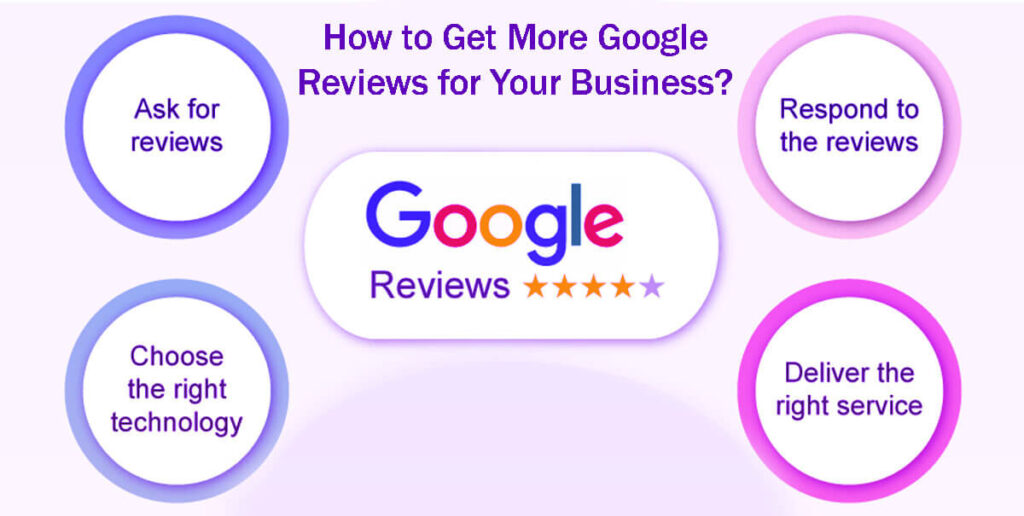
Give great service: When you do your best for customers, they’re much more likely to leave positive reviews.
Ask for feedback often: Don’t be shy about it. The more you ask, the more reviews you’ll get.
Ask for reviews at the right time: For example, right after you provide a service is a great moment to ask.
Make it easy: Give customers clear instructions and direct links so leaving a review is simple.
Reply thoughtfully to every review: Respectful responses help build relationships and encourage more feedback.
Follow Google’s guidelines: Ensure you understand and follow their review management policies.
Getting more Google reviews isn’t about fancy technology or complicated scripts. The best businesses make asking for reviews a natural part of their daily routine.
With this proactive approach, Google reviews can become a steady source of trust, bringing more visitors to your website and helping you get more local leads.
What Is Customer Retention Analytics? Metrics and Benefits — A Guide in 8 Easy Steps
What Is Email Marketing? Types of Email Marketing in 11 Easy Steps and How to Use Them
How to Remove Yelp Reviews: How to Delete a Yelp Review in 12 Easy Steps
Top 13 Best SEO Tools: Analysis and Rankings – A Complete Guide
What is a Brand Story? How to Tell Your Brand Story: 12 Easy Steps