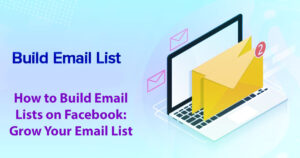





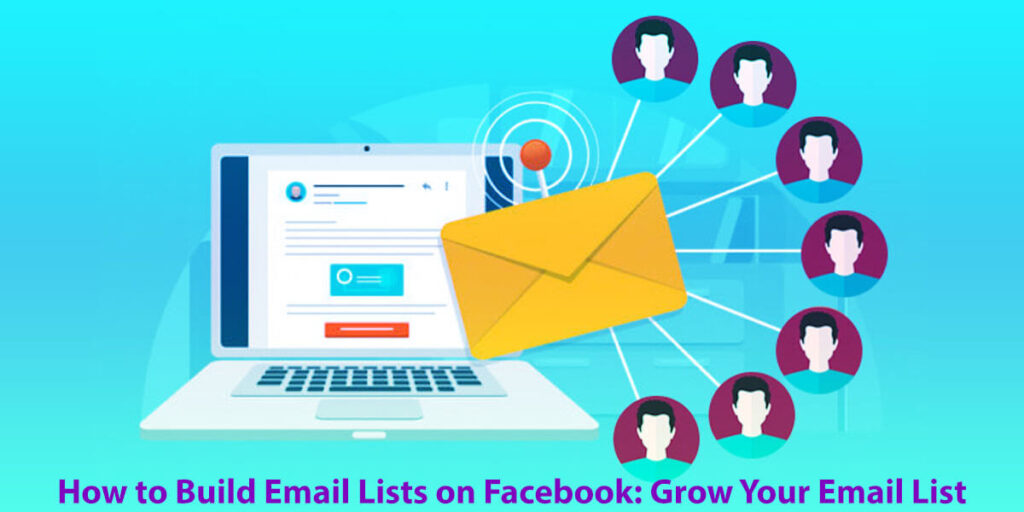
If you want to know how to Build Email Lists on Facebook: Grow Your Email List, here are some easy ways to get started. Collect emails directly on Facebook, try out lead generation tips, and go live to reach more people.
You can also use Facebook Lead Ads to promote your email signups on your page. Consider creating lead magnets and landing pages
Use opt-in strategies to encourage sign-ups, and connect your email marketing with your Facebook campaigns.
Posting and joining groups can help you reach even more people. These simple steps can help you connect with your audience and grow your newsletter.
You’ve probably heard the saying, “the money’s in the list.” Still, many new marketers miss out on how much Facebook can help them grow that list.
Facebook is the world’s biggest social network, and it offers many easy ways to collect email addresses and turn casual visitors into loyal subscribers.
In this post, I’ll walk you through connecting your email marketing service to your Facebook page, step by step.
This way, new contacts will go straight into your email list without any extra work.
We’ll also look at how you can use Facebook Live to turn viewers into subscribers by sharing offers they’ll really value.
Along the way, you’ll find practical strategies designed for success.
These tips include using pinned comments, creating compelling lead magnets, sending reminders, writing catchy captions, and setting up simple automations.
Each strategy aims to help you get more sign-ups and keep your audience interested, without overwhelming them. Let’s get started.
How to Build Email Lists on Facebook: Grow Your Email List with 5 Easy Steps
Building an Email List on Facebook: Learn how to grow a strong email list by using Facebook’s tools and features.
Facebook Email Collection Strategies: Find out the best ways to collect email addresses through your Facebook page.
Tips for Facebook Lead Generation: Get practical tips to help you find leads on Facebook and turn them into subscribers.
Facebook Live to Grow Your Email List: Discover how Facebook Live can help you engage with your audience and boost email signups.
Facebook Lead Ads for Email Collection: Learn how to use lead ads to collect email addresses from potential customers.
Facebook Marketing Tactics for Email Signups: Use targeted Facebook ads to drive more sign-ups for your email list.
Implementing Lead Magnet Strategies on Facebook: Make lead magnets that appeal to your Facebook audience and encourage them to sign up for your emails.
Email Signup Integration on Your Facebook Page: Find out how to add email signup forms right on your Facebook business page to make signups easier.
Growing Your Newsletter with Facebook Outreach: Use Facebook to reach more people and grow your newsletter subscriber list.
Building an Email List Through Facebook Groups: Learn how to engage your Facebook Group members and collect their email addresses.
Creating Effective Landing Pages on Facebook for Email Capture: Make landing pages on Facebook that help turn visitors into email subscribers.
Facebook Opt-In Strategies for Email Marketing: Find out which opt-in methods work best to get more email signups on Facebook.
Integrating Email Marketing with Facebook Campaigns: See how to connect your email marketing with your Facebook campaigns for better results.
Enhancing Email List Engagement via Facebook: Use Facebook to keep your email subscribers interested and engaged.
Running Email Campaigns for Your Facebook Audience: Learn how to create email campaigns that connect with your Facebook followers.
Connecting Your Email Platform to Facebook: A Step-by-Step Guide
Before you go live, make sure it’s easy for people to sign up for your list.
Here are the top methods to link your Facebook page with your email tool, ensuring you capture every lead with proper consent and tags:
Add a “Sign Up” Action Button on Your Page:
Add a clear “Sign Up” button to your Facebook page that sends people to a landing page from your email provider.
Keep your sign-up form simple—ask for the basics like name and email.
Let people know what they’ll get for signing up, like exclusive content, special deals, or helpful resources.
Enabling double opt-in helps ensure your subscribers really want to hear from you.
Utilize Facebook Lead Ads for Instant Opt-Ins:
Set up an Instant Form in Facebook Lead Ads with clear consent wording. Makes it easy for people to sign up.
Make sure the form fields match up with your email service provider.
Most top platforms like AWeber and GetResponse offer built-in integrations or work with easy no-code tools.
Tag your new contacts (for example, with “source=facebook-lead-ad”) so you can personalize their experience later.
Activate Meta’s Leads Center and Inbox Automations:
Set up the Leads Center to automatically send new leads there.
Set up an instant auto-response that repeats your offer and includes any promised freebies.
Send a quick, personalized email within a few minutes to keep people engaged and build a strong relationship.
Prepare a Short URL and a QR Code:
Create a short, branded link for your opt-in page that’s easy to say and share.
Show a QR code on screen during your live sessions. Both the short link and QR code should go to the same landing page so you can easily track sign-ups.
Track Everything Rigorously:
Add UTM parameters to your links (like “utm_source=facebook&utm_medium=live&utm_campaign=lead-magnet”) to see which topics and formats get the most sign-ups.
This data helps you improve your strategies over time.
Growing Your Email List Using Facebook Live
How often do you use Facebook Live for your videos? If it’s “never” or “rarely,” now’s a great time to give it another look.
Facebook Live remains a consistently reliable tool for driving conversions.
A well-run live session can introduce your brand to more people, teach viewers something new, and collect their email addresses—all without making things complicated for them.
With a good internet connection and a simple setup—a basic webcam and microphone are usually enough—you can run long broadcasts using Live Producer or the Live Video API.
Longer sessions let you teach in depth, answer questions live, and repeat your calls to action so latecomers don’t miss out.
Here are some practical ways to use Facebook Live to grow your email list without being too pushy:
Start with a Strong Hook:
Start your live session with something that grabs attention. Tell viewers what they’ll get if they stick around, like special tips, deals, or giveaways.
Engage with Your Audience:
Engage with your viewers by replying to comments, answering questions, and making everyone feel involved. This fosters trust and boosts the chance that viewers will sign up for your email list.
Provide Value Before the Call-to-Action:
Give your audience useful content before you ask them to sign up. Share tips or demos they care about, then invite them to join your list when they’re interested.
Highlight Exclusive Offers:
Share any special offers or freebies you’re giving out only during the live session. Let viewers know they need to act fast to get them.
Repeat Your Call-to-Action:
Remind viewers throughout your broadcast why they should subscribe, especially as new people join. Repeat your call to action and give clear, simple steps for signing up.
Utilizing these strategies with Facebook Live can help expand your email list and maintain viewer satisfaction and engagement.
Use this platform not just to promote your brand, but also to build a loyal, excited audience.
Offer Detailed Information on Main Topics
Live video sessions let you explore topics in depth and interact directly with your audience.
To enhance your presentation, begin with a clear outline. It keeps you organized and demonstrates to your audience that you are focused on delivering valuable information.
For example, you might open with a clear intent: “In just 20 minutes, I will share three highly effective strategies to enhance your abandoned-cart recovery rates.”
Make sure to show your expertise early on.
Many creators find that sessions between 15 and 45 minutes keep viewers engaged.
You can go longer if your audience stays interested.
At the start of your livestream, explain what your audience will gain and outline what you’ll cover to build interest.
A statement such as, “Today, I’m excited to share a free checklist that you definitely don’t want to miss; the link is conveniently pinned in the comments for easy access!” functions as both an informative remark and a compelling call to action.
Because new viewers may join at any time, repeat your call to action every 7 to 10 minutes.
Make sure these reminders feel natural, not forced, so everyone stays engaged no matter when they join.
Ask your viewers to turn on notifications for future live sessions and explain why it’s helpful.
This small step can boost live attendance, increase replay views, and help grow your email list faster.
When you mention upcoming live content, highlight what viewers can expect.
Live videos usually get more real-time interaction, comments, and longer watch times than pre-recorded posts.
Take advantage of this engagement by inviting viewers to opt in several times during your livestream. Each time, offer something specific, like a template, guide, bonus segment, or special discount just for them.
Make it clear what subscribers will get. People are more likely to sign up for real benefits and insights, not just as a favor.
Here’s a helpful tip: try adding your opt-in link to the video description and pinning it in the comments. This makes it easier for viewers to find later and can really boost engagement!
Promote Your Products
Use your time on camera to showcase your products in action.
Rather than just talking about your products, show their features live to engage your audience.
You might unbox items live, share your screen to show how your product works, or walk viewers through a short case study to highlight its value.
Many customers want to see products in action. This approach grabs their attention and shows how useful your product is.
With this interactive approach, you can achieve two main goals at once:
Drive immediate product sales.
Enhance your email list growth.
When you gain email subscribers, you also increase sales. This combination can really help your business grow.
Consider offering a special perk just for your live viewers in exchange for their email addresses.
This incentive could take the form of a bonus lesson, early-bird special pricing, or a one-time discount code sent directly to them.
Share your special offer early in your stream, show it on screen, and pin the link in the comments so your audience can find it easily.
When you answer viewer questions live, you’re offering public customer service. It can boost satisfaction, help keep customers, and increase their long-term value.
As you promote your products, keep encouraging viewers to join your email list to get the most out of both efforts.
By doing this, you’re setting yourself up for real success.
Build a Personal Connection with Your Viewers
Live streaming gives you a unique chance to show your real self and let your personality shine in ways that other formats often can’t.
Is it your time to stand out? Use humor, be authentic, and show some vulnerability to let your audience see the human side of your brand.
Talk to the camera as if you’re having a personal video call with a valued client.
Mentioning viewers by name from their comments helps create a sense of closeness and encourages more engagement.
Pay attention to your audience’s ideas, recognize them as they come in, and share honest looks into your daily business life.
These personal touches grab viewers’ attention and build trust, which is key for lasting relationships that can lead to more sales.
When your audience feels a real connection with you, they’re more likely to subscribe and become loyal to your brand.
After you’ve built this connection, remind your viewers how they can keep up with your latest content.
A simple line like, “If you find this useful, don’t forget to grab the cheat sheet I’ve pinned in the comments. I’ll send it out right after the Live session,” can encourage people to sign up.
Going live is free and one of the fastest methods to grow a list of eager subscribers for your updates.
Promote Engagement
Turn your live stream into a lively two-way conversation from the start. Ask a question that fits your audience’s interests, like:
What’s your biggest challenge with?
Be prepared to reply to comments and answers as they come in during your session.
Encouraging this kind of interaction not only helps you reach more people thanks to social media algorithms, but it can also improve your conversion rates.
So, how can you encourage this kind of engagement?
Encourage your viewers to like, share, and comment during the stream with straightforward, clear prompts.
For instance, you might say, “If you’d like me to send you the checklist, comment ‘GUIDE’ below,” or “Please vote using 1, 2, or 3 for your favorite option.”
You can also invite viewers to share their specific niches and offer to select one for a live audit. This generates excitement and keeps the audience engaged.
If your conversation moves to direct messages, make sure you follow Meta’s messaging guidelines to keep your credibility and trust.
Live videos usually get much more engagement than static posts, which often send people away from the platform.
Keep your viewers focused on the stream, then give them a clear way to sign up for your email list.
Think about running fun giveaways or comment contests where people need to join your subscriber list to enter.
Make sure to explain the rules clearly so there’s no confusion. Sending prizes by email rewards participation and encourages people to open your messages more often.
Keep your audience engaged with polls and Q&A to keep the energy high during your stream.
These interactions can help you see who’s a “Beginner” and who’s a “Pro,” so you can offer the right lead magnet for each group.
Choose a Consistent Time for Your Streams
Being consistent allows your audience to anticipate your presence. Treat your live sessions like a weekly show viewers eagerly await.
Review your Page insights to determine when your followers are most active, enabling you to schedule your live sessions at optimal times.
When you schedule your events, you get more visibility through notifications and a shareable link you can promote in advance to boost attendance.
If your audience is in different time zones, try switching up your streaming times. For example, do a morning session one week and an evening session the next.
This flexibility helps you reach people in different time zones and fit their schedules.
Watch your viewer retention numbers to find the best times for your streams, and aim for a steady schedule your audience can count on.
Picking the right time can really increase live attendance and replay views, giving you more chances for email sign-ups and ongoing engagement.
Having a regular schedule is key to building a loyal, engaged audience and creating a community that values consistency and connection.
Use Various Platforms to Expand Your Stream’s Audience
Facebook has billions of users, but sticking to just one platform can really limit how many people you reach.
To get more people to watch and interact, share your Facebook Live sessions across multiple platforms.
Share short teaser clips and links on Instagram, X (formerly Twitter), Snapchat, TikTok, YouTube Shorts, your newsletter, and your website.
A short, well-edited clip can help build excitement for your next Live session.
After your session, turn the best 30 to 60 seconds into short videos and add a clear opt-in link so interested viewers can sign up.
Promoting your stream in more locations helps you reach a larger audience and expand your subscriber list.
Don’t forget that email marketing can give you a great return on investment.
Recent studies show that each dollar invested in email marketing can generate roughly $36 in return, and with proper targeting and automation, this return can be even higher.
As your list of interested subscribers grows, your results will continue to improve.
Don’t just promote your stream once. Share it on different channels before, during, and after each live broadcast to get the best results.
Make It Easy for Viewers to Subscribe During Your Live Sessions
Online, every extra step can mean fewer sign-ups. So, make subscribing as simple as possible.
Try these simple ways to make it easier for people to subscribe:
Pin your opt-in link in a comment and include it in the video description to make it easy for viewers to find.
On-Screen Overlays: Add simple overlays at the bottom of the screen, like “Grab your free checklist at yoursite.com/free.” Repeat this message during key moments in your live session.
Keyword Triggers: Ask viewers to comment with a specific word so you can send them the link in a direct message.
Make sure any automated direct messages follow Meta’s 24-hour rule or use methods that fit the platform’s guidelines.
Match Your Free Offers: Give away resources that align with your live session’s topic, such as templates, swipe files, or a short 10-minute bonus tutorial.
This way, your free offers will be useful and interesting to your viewers.
Follow Up Quickly: Send the promised resource right away, then start a short, helpful welcome series to connect with your new subscribers.
Add captions to Videos to Boost Engagement
Many people watch videos without sound, especially on their phones, so captions are important for helping everyone understand and remember your content.
Adding captions increases the likelihood that viewers will watch to the end. It also makes your videos accessible to more people and shows you care about your audience.
Use Meta’s auto-caption tool and fix any mistakes to make sure your captions are clear.
If you want more control over your captions, try services like Telestream or AI-Media for better results.
Also, use clear visuals, simple slides, and on-screen text to help convey your message, even if viewers have the sound off.
When your content is easy to follow, viewers are more likely to stay interested and subscribe.
Post-Live Strategy: Reengage, Redirect, and Build Your Audience
Finishing your Facebook Live session is just the start of what you can do next.
Many opportunities are available to help you reach more people and grow your audience even after your Live session ends.
With the right strategies, your Live session can become a powerful way to grow your subscriber list and keep working for you over time.
1. Save the Replay Promptly:
The first thing to do after your Live session is to save the recorded video right away. Facebook Live replays only last for 30 days before they expire.
Download the video as soon as your session ends to keep your content safe.
You can also pull out the best moments from your stream or make short clips, especially for platforms like Instagram Reels. Aim for clips that are about 90 seconds long.
Helps your content stay relevant and keeps people talking about it.
2. Maximize Visibility by Pinning the Replay:
Once your reply is ready, pin it to the top of your Facebook Page. Doing this while your audience still remembers the session makes it easier for them to find.
Add the link to your lead magnet in the video description so viewers can easily sign up.
Helps people who missed the live event get involved and makes it easy for new subscribers to connect with your content.
3. Clip and Share Highlights:
Now, pick out the best highlights from your Live session. Look for clips between 30 and 90 seconds that show your most engaging moments.
Add the same lead magnet call-to-action you used during the live broadcast to these clips.
Gets viewers who missed the live event excited and shows them why your content is valuable.
Sharing these highlights also helps promote your brand on different platforms.
4. Build a Custom Audience:
To maximize your engagement, create a Custom Audience of viewers who watched your video.
Use Facebook Ads Manager to target this group with Lead Ads or conversion campaigns that feature the same offer you shared during your Live session.
This way, your message reaches people who are already interested, increasing the likelihood they’ll sign up.
5. Welcome New Subscribers:
Be sure to welcome and support your new subscribers after the live event.
Tag your new subscribers and send them a personalized welcome email that mentions the stream they joined.
This personal touch fosters a stronger connection and promotes ongoing engagement.
A warm welcome can help keep subscribers engaged and active in your community.
Using Facebook to build your email list can be a very effective approach if you plan and execute it thoughtfully.
Using Facebook to build your email list can be a very effective approach if you plan and execute it thoughtfully.
This guide will take you through each step of the process:
1. Create an Engaging Lead Magnet
A lead magnet constitutes a complimentary resource that you distribute to gather email addresses, thereby fostering connections and engagement by providing value and ensuring your audience feels recognized.
To make your lead magnet work, make sure it offers real value and meets the needs and interests of your target audience.
Consider the following options:
eBooks: Create a short, helpful guide that solves a common problem or answers a question your audience has.
You might include best practices, step-by-step guides, or unique tips that your audience will find useful and engaging.
Discount Codes: Offering a discount can motivate people to subscribe.
Give a limited-time discount or promo code for their first purchase to encourage quick sign-ups and bring them into your sales process.
Checklists or Templates: Simple tools like checklists or templates can make tasks easier and save your audience time.
Make sure these resources fit your industry and audience. For example, you could offer a marketing checklist for small business owners.
Exclusive Content: Offer your subscribers special content that isn’t available to everyone.
Might be webinars, detailed tutorials, or special articles that go deeper into topics your audience cares about. Making this content exclusive helps your subscribers feel valued.
2. Create a Dedicated Landing Page
A focused landing page is key to turning visitors into subscribers. This page should be all about your email sign-up and include these elements:
Clear Value Proposition: Highlight the benefits of subscribing right at the top. Tell visitors what they’ll get for sharing their email and why your lead magnet is valuable.
Eye-catching Design: Use a design that matches your brand. Keep the layout simple and attractive, and use color to make the sign-up form stand out.
Social Proof: Share testimonials or statistics that show the value of your lead magnet. Positive feedback from past subscribers can help build trust and encourage others to sign up.
User-Friendly Sign-Up Form: Make signing up easy by asking only for basic info, like name and email. The simpler the process, the more people will join.
3. Use Facebook Posts and Ads Effectively
Facebook’s large audience can help you attract more visitors to your landing page. Here are some ways to do that:
Engaging Posts: Share stories, interesting facts, or statistics related to your lead magnet. Use eye-catching images or videos to get people’s attention and encourage interaction.
Strong Calls-to-Action (CTAs): Keep your CTAs clear and persuasive. For example, say “Sign up now to get your free [Lead Magnet]!” to encourage people to act right away.
Facebook Ads: Use targeted Facebook ads to reach more people.
Take advantage of Facebook’s targeting tools to find people based on their age, interests, and habits that match your ideal customer. Make sure your ad text and images work well together and speak to your audience.
4. Use Facebook Groups Effectively
Joining Facebook groups in your field is a good way to meet potential subscribers. Here are some tips:
Share Your Lead Magnet: If group rules allow, share it in groups that match your audience. Make your post helpful, not just a sales pitch.
Engage Authentically: Build trust by answering questions and sharing useful advice. Focus on being helpful and making real connections, not just selling.
Create Curiosity: Share small previews or tips from your lead magnet to spark interest and get group members to check out your landing page.
5. Connect with and Support Your Audience
Getting email addresses is only the beginning. The real work is building a good relationship with your subscribers. Here are some ways to do that:
Regular Newsletters: Send newsletters regularly with helpful content, updates, promotions, and more.
Helps maintain your audience’s interest and reminds them why they signed up.
Personalized Communication: Group your subscribers by their interests and send messages that match their interests. Personal touches make people feel valued.
Continued Engagement: Keep connecting with your audience on Facebook. Try live Q&As, share updates, or start polls and discussions to build a sense of community.
If you use these strategies, you can grow your email list with Facebook.
Keep checking your results, track what works, and adjust your approach to match what your audience likes. This way, your efforts will stay effective and meaningful.
Quick Checklist Before You Go Live:
Here’s a quick checklist to help your Live session run smoothly:
Clear Promise & Outline: Know your purpose and plan your session.
Lead Magnet Ready: Prepare your lead magnet with a URL, QR code, and a pinned comment for easy access.
Internet Connection: Test your internet and audio to avoid technical issues.
Captions: Turn on captions and edit them for clarity so more people can access your content.
CTA Phrasing: Plan what you’ll say for your calls-to-action at the start, middle, and end of your session.
UTM Tracking: Add UTM links to track engagement and learn more about your audience.
Follow-up Email: Write and schedule an email to send right after your stream ends.
Replay Download: Download your replay within 30 days and get it ready for editing into clips.
Using Facebook to build an email list is a smart move for marketers and businesses.
Frequently Asked Questions About How to Build Email Lists with Facebook
1. Why should I build an email list from Facebook?
Email marketing enables direct audience engagement and usually provides a higher return than other methods. Facebook expands your reach, attracting more subscribers to your newsletter or updates.
2. Which tools can I use to build a sign-up form?
There are many tools you can use to create email sign-up forms, like Mailchimp, Constant Contact, and ConvertKit—most of these work well with Facebook.
3. How can I promote my email sign-up form on Facebook?
There are several ways to share your sign-up form on Facebook:
Create a Facebook page or group, share updates, and include a clear call to action encouraging people to join your email list.
Use Facebook Ads to run targeted campaigns that send people to your sign-up page.
Post regularly, share interesting content, and add a link to your sign-up form in your posts.
4. What kind of incentives can I offer to encourage sign-ups?
Offering incentives can really help you get more sign-ups. You might offer:
Exclusive content (e-books, webinars)
Discounts or promotional codes
Free trials or samples
Access to a members-only group or forum
5. How can I ensure my audience trusts my emails?
Trust is key in email marketing. Here’s how you can build it:
Clearly communicate what subscribers can expect from the content.
Make sure your emails are well-crafted and free of spammy content.
Use a sender name and email address that are clearly identifiable.
Provide a simple method for subscribers to unsubscribe.
6. What is the best way to collect emails through Facebook groups?
If you manage a Facebook group, there are several ways to grow your email list.
Add a pinned post that encourages group members to sign up.
Send regular reminders or posts highlighting the value of your email content.
Use the group’s description to encourage email sign-ups.
7. Can I use Facebook Live to promote my email list?
Yes, you can! Facebook Live is a great way to connect with people in real time. While you’re live, mention the benefits of your email newsletter and share the sign-up link in the chat or comments.
8. How do I measure the success of my email list growth from Facebook?
Keep an eye on these metrics:
Number of new sign-ups generated from Facebook efforts.
Engagement rates on your posts related to the email list.
Conversion rates from Facebook ads, if used.
Monitor your open and click-through rates to gauge audience engagement. They’re key to identifying interests and enhancing outreach.
9. What should I avoid when building my email list on Facebook?
Try to avoid the following:
Using misleading practices to get sign-ups (like false promises).
Spammy posts that may annoy your audience.
Collecting emails without providing value in return.
10. How often should I promote my email list on Facebook?
How often you promote your email list depends on your audience and your posting frequency. In general, promote your list regularly, but don’t overdo it. Add calls to action in some posts, and mix in plenty of interesting, non-promotional content.
By following these tips, you can build and grow your email list with Facebook.
Building an Email List on Facebook: Learn how to grow a strong email list by using Facebook’s tools and features.
Facebook Email Collection Strategies: Find out the best ways to collect email addresses through your Facebook page.
Tips for Facebook Lead Generation: Get practical tips to help you find leads on Facebook and turn them into subscribers.
Facebook Live to Grow Your Email List: Discover how Facebook Live can help you engage with your audience and boost email signups.
Facebook Lead Ads for Email Collection: Learn how to use lead ads to collect email addresses from potential customers.
Facebook Marketing Tactics for Email Signups: Use targeted Facebook ads to drive more sign-ups for your email list.
Implementing Lead Magnet Strategies on Facebook: Make lead magnets that appeal to your Facebook audience and encourage them to sign up for your emails.
Email Signup Integration on Your Facebook Page: Find out how to add email signup forms right on your Facebook business page to make signups easier.
Growing Your Newsletter with Facebook Outreach: Use Facebook to reach more people and grow your newsletter subscriber list.
Building an Email List Through Facebook Groups: Learn how to engage your Facebook Group members and collect their email addresses.
Creating Effective Landing Pages on Facebook for Email Capture: Make landing pages on Facebook that help turn visitors into email subscribers.
Facebook Opt-In Strategies for Email Marketing: Find out which opt-in methods work best to get more email signups on Facebook.
Integrating Email Marketing with Facebook Campaigns: See how to connect your email marketing with your Facebook campaigns for better results.
Enhancing Email List Engagement via Facebook: Use Facebook to keep your email subscribers interested and engaged.
Running Email Campaigns for Your Facebook Audience: Learn how to create email campaigns that connect with your Facebook followers.
In Conclusion
Using Facebook to build your email list is a great way to connect with your audience and boost your marketing. With its large network, you can find new subscribers and build stronger relationships by sharing content that matters to them.
To grow your email list on Facebook, make sure your sign-up forms are appealing, share interesting content, and offer incentives that encourage people to join. Stay consistent by regularly showing the benefits of your newsletter and mixing both promotional and regular posts.
As you try these tips, watch your growth and engagement numbers to adjust your strategy. Build trust with your audience and be clear about what they can expect. Over time, this will help you build a loyal subscriber base and achieve lasting results for your business. With the right approach, Facebook can become a valuable part of your email marketing.
Facebook is still a great place to engage your audience, and using Facebook Live can really help you grow your list.
Works best when you make it easy to subscribe and clearly show the value of your content.
Connect your email service, keep your offer pinned, share helpful content, and remind newcomers about your calls to action.
By reusing your Live session replay and retargeting your viewers, you can build a larger, more engaged email list that keeps driving sales even after your stream ends.
How to Remove Reviews from Facebook: How to Delete a Review on Facebook in 5 Easy Steps
ReputationDefender Review: Details, Pricing, Services, Complete Guide, 8 Easy Steps
How to Fix Your Online Reputation: Manage Your Online Reputation in 8 Easy Steps