




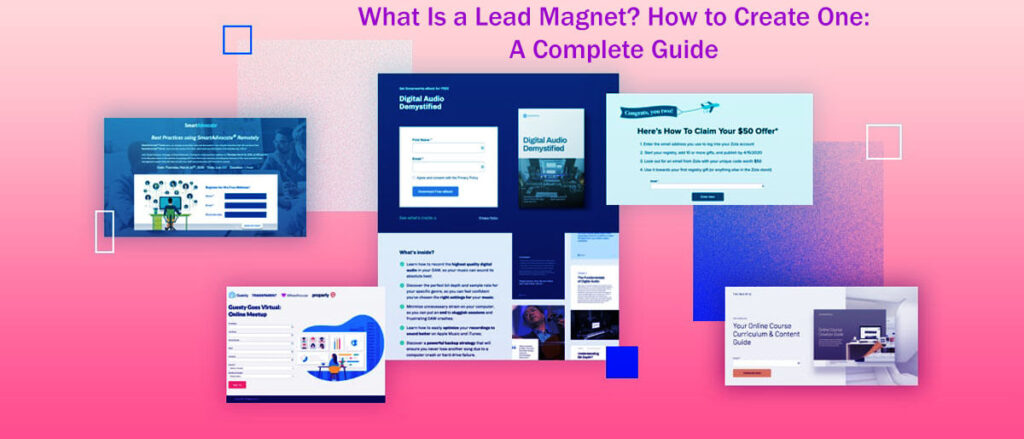
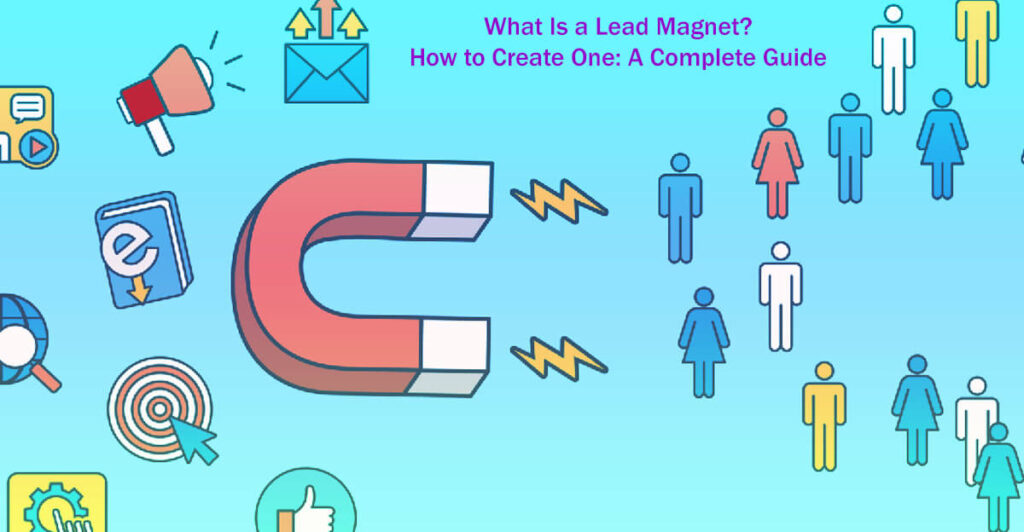
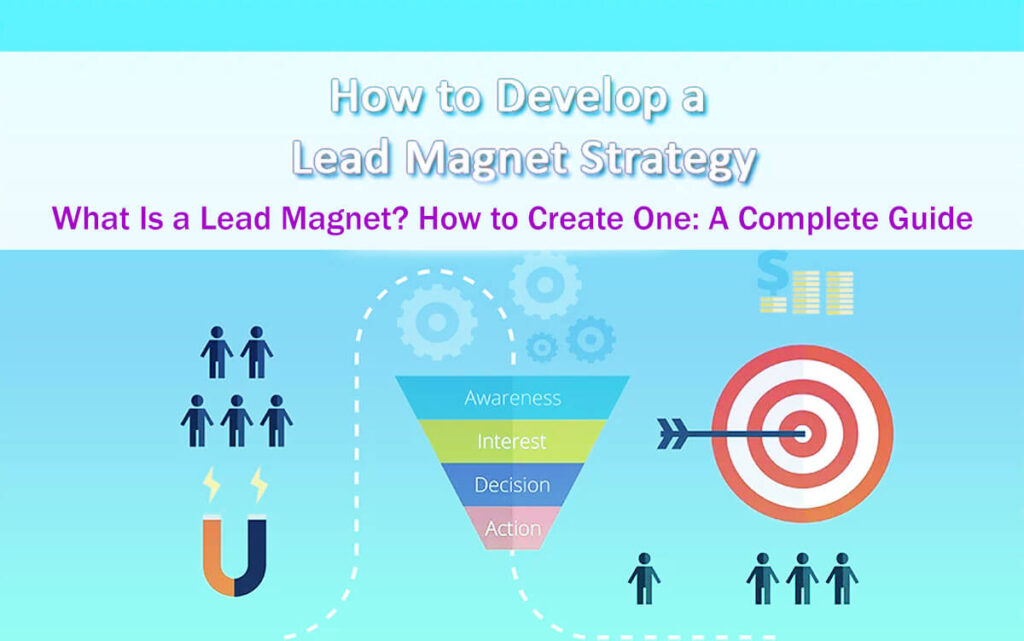
This guide presents What Is a Lead Magnet and how to create a Lead Magnet in 12 easy steps. You’ll find different lead magnet ideas, learn how to grow your email list, and get tips to improve your email marketing.
We’ll share advice on making effective opt-in offers, give examples of lead magnets that work, and suggest ways to attract more subscribers.
You’ll also see how to boost your content marketing, increase your conversion rates, and use email opt-in forms more effectively.
Get inspired by free resources, PDF and checklist lead magnets, and creative pop-up form ideas.
We’ll cover how to research your audience and competitors, write strong calls to action, and follow best practices for the best results.
Are you currently focusing on expanding your email list?
If not, now is the time to get started.
Email marketing is still one of the most reliable and effective ways for businesses to reach people.
It provides direct access to your subscribers and helps you establish a personal connection that can increase engagement and sales.
Email is an effective tool for maintaining communication with both current customers and prospective clients as needed.
These days, people check their email several times a day.
Offers an excellent chance to increase your website traffic, boost sales, collect reviews, and gather important feedback.
All of these actions can make a real difference for your business.
Building an email list also helps you connect better with your subscribers and learn more about what they like and how they behave.
But just creating good content isn’t enough to succeed.
Getting more traffic and social media shares is nice, but those aren’t the main goals of a strong content marketing strategy.
Let’s ask an important question:
What is the real goal of marketing?
The answer is simple: to make money.
What Is a Lead Magnet? How to Create One: A Complete Guide in 12 Easy Steps
Most of the time, you won’t make a sale right from a blog post.
But even a simple email can help you collect your readers’ contact information and start building a relationship with them.
It used to be enough to have a simple “subscribe to the blog” box in your sidebar to get sign-ups.
But things have changed. Now, brands are producing more content than ever, and people are overwhelmed by the information.
With so many brands competing for attention, the old sidebar sign-up forms don’t work as well as they used to.
Traditional sidebar forms aren’t enough. As marketing changes, our strategies need to change too.
To stay current, I began offering free resources like e-books, online courses, checklists, and videos for email addresses.
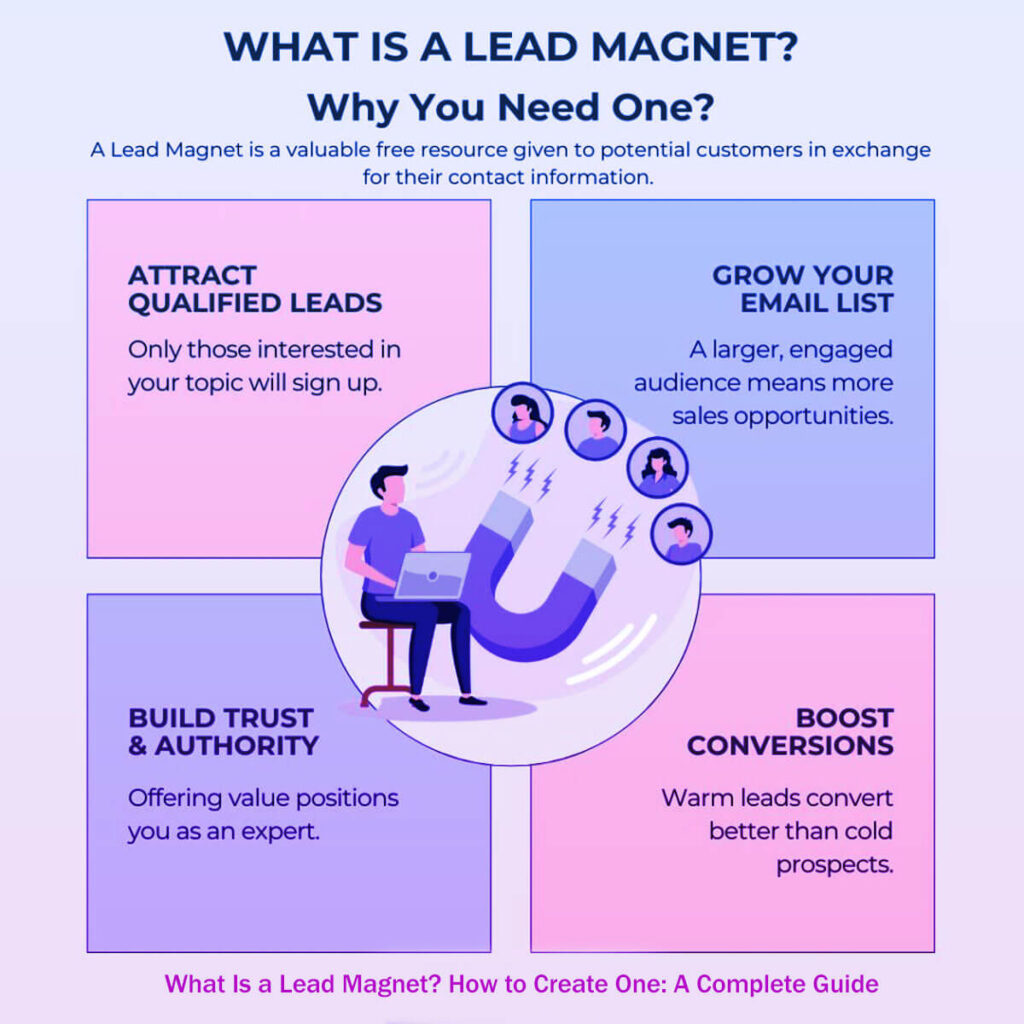
These resources, known as lead magnets, have been effective at attracting new subscribers.
When you offer something valuable in exchange for an email address, both you and your readers benefit.
But keep in mind that almost everyone is offering some free incentive now.
If your lead magnet isn’t original or unique, you might get very few sign-ups, or people may unsubscribe soon after if they’re disappointed.
The best lead magnets, made by top marketers, really stand out from the rest.
It does take time, creativity, and effort to create a great lead magnet.
But even a small increase of two or three percent in your opt-in rate over a year can mean a lot more revenue for your business. That’s a good reason to put in the work.
Now, let’s look at the steps to create a great lead magnet.
The first and most important step is research. One of the hardest parts of marketing is truly understanding your audience.
Even if you think you know what your audience wants, your guesses might not match what they actually need right now.
If your current lead magnets are getting a conversion rate below 1%, it’s probably time to rethink your approach.
The good news is there’s plenty of room to improve.
If you take the time to really study what your audience cares about, you could double or even triple your opt-in rate by improving your offer.
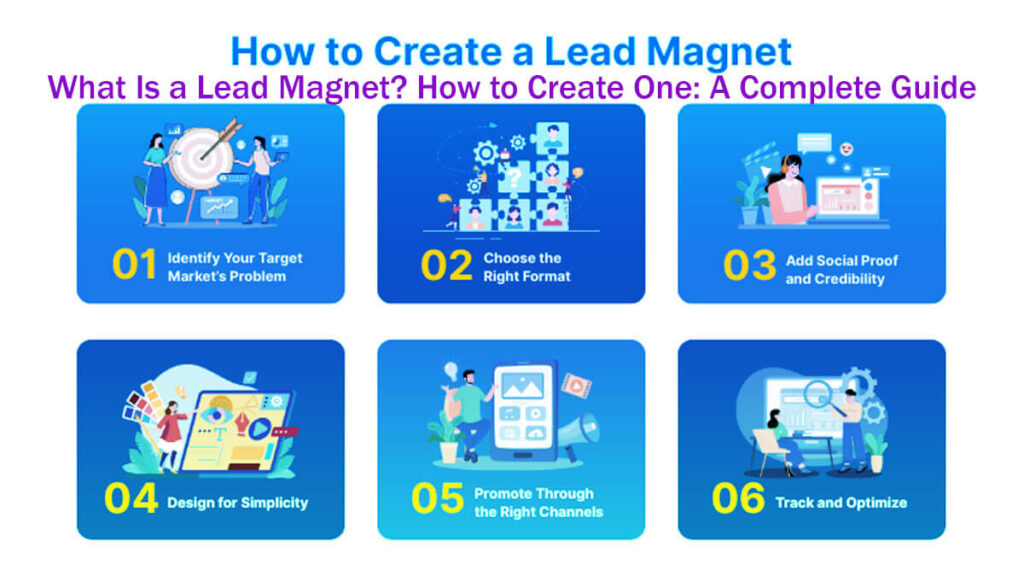
How to Create a Lead Magnet: Follow Simple Steps
1. Research Always Comes First
Your research should show you what your audience truly values at this moment.
To see if your audience is interested in a topic, check your blog traffic.
Look at which posts get the most views and engagement. Shares and comments are good signs of what your readers like.
Make a simple spreadsheet to track traffic for your best posts over at least three months.
Confirm Your Audience Is Interested in the Topic
If you use Google Analytics 4, you’ll find this data under “Reports,” then “Engagement,” and then “Pages and screens.”
Sort your posts by traffic to see which topics interest your audience the most.
Once you understand your audience’s preferences, you can craft an offer that aligns with those topics.
Be sure to promote your lead magnet all over your website and add it to updates in your existing posts.
It will help more people see your offer and make it more likely that your email list will grow.
For Instance:
Article: “22 Gmail Plugins Every Content Marketer Should Be Aware Of”
Offer: Get the exact outreach templates I use to connect with influencers in the industry.
Article: “Creating Personalized Pictures for Your Blog Posts Without Hiring a Designer”
Offer: Get a list of ten talented designers who can create custom images for you, often for just $5 each.
2. Conduct comprehensive competitive research
See What Your Competitors Are Providing
If you’re starting a new website or your traffic has stalled, doing competitive research can really help.
Competitors who have been around longer can show you what works well with their audience.
Begin by finding five to ten of your main competitors in your niche.
Create a spreadsheet to track how their content is performing.
Set up your spreadsheet with five columns for their most popular posts, plus one more for each competitor’s main lead magnet.
To find these lead magnets, check their homepage or blog. They’re usually easy to spot there.
When you write down the lead magnets, include the title and a short description for each one.
Instead of using “Popular Posts” widgets, which can sometimes be misleading, enter the competitor’s URL into BuzzSumo.
BuzzSumo lets you sort its content by total social media shares so that you can find its most popular and engaging articles.
Copy the top five headlines into your spreadsheet to analyze them later.
Completed Spreadsheet Example
Once you’ve done these steps, your spreadsheet might look like this:
| Competitor | Post #1 Title | Post #1 Shares | Post #2 Title | Lead Magnet Title | Lead Magnet Description |
| Competitor 1 | How to Boost Your Email List | 2,500 | The Ultimate Guide to Content | eBook: “How to Get Your First 10,000 Subscribers.” | A comprehensive eBook offering strategies for gaining initial subscribers. |
| Competitor 2 | 10 Tips for Effective Blogging | 3,300 | Mastering SEO for Blogs | Checklist: “SEO Essentials for Bloggers” | A handy checklist to optimize your blog for search engines. |
This spreadsheet is useful in a few ways. First, it shows which lead magnets each competitor thinks work best, at least until you have data to prove otherwise.
For example, you might want to take inspiration from Social Triggers’ popular eBook titled “How to Get Your First 10,000 Subscribers.”
If you create a resource on a similar topic, your blog could see better conversion rates, too.
This approach also helps you avoid simply copying others.
If readers want advice on building traffic and growing their subscribers, they probably won’t sign up for both your site and Social Triggers.
When given the choice, most people will pick the more established expert.
Next, go back to your spreadsheet and group the posts by main themes.
It will help you spot the most common topics in your niche.
For example, when I looked at the sample data, I found four main categories:
- Improved Writing (4 posts)
- Why Blogs Are Successful (2 posts)
- Online Sales Strategies (2 posts)
- Increasing Subscribers and Traffic (2 posts)
After you group the posts, compare the most popular themes with the lead magnets your competitors use.
Look for any gaps or new opportunities in the content out there.
As the move toward higher-quality content gains momentum, bloggers are paying closer attention to improving their writing skills.
For example, Boost Blog Traffic’s article “Headline Hacks” shows how important it is to write strong headlines.
Use the popular articles you found earlier as a starting point to explore a new angle on “improving writing.”
This way, you can carve out a unique niche for your content that differentiates it from the competition.
Successful bloggers use a few key strategies to create content that connects with their audience.
Here are some topic ideas that regularly grab readers’ attention and can help inspire your own content.
One strong topic is “The Twenty Words Every Successful Blogger Uses in Their Writing.”
This title promises useful tips and appeals to anyone who wants to improve their writing style.
Readers like the idea of learning powerful words that can strengthen and engage their writing.
Another popular topic is “51 Crucial Time-Saving Tools for Every Blogger.”
This topic focuses on productivity and efficiency, which are important for bloggers who manage many tasks and want to improve their work.
By sharing useful tools, you appeal to people who want to work smarter and get more done in less time.
Offering a “Free E-book: How I Easily Write 1,000-Word Excellent Posts in an Hour” is also a great way to attract readers.
3. See What Visitors Are Purchasing
This offer promises readers helpful tips and techniques to write more and improve their results.
People are drawn to the idea of writing quickly and effectively, making this resource especially helpful for new bloggers.
To make a lead magnet that really works, create something so valuable that people would be willing to pay for it.
When you share helpful resources, you build trust with your audience and are more likely to turn readers into subscribers.
To find out what your audience really wants, try these three strategies that work in many different niches:
Source #1: The Kindle Marketplace
Amazon’s Kindle section is a great place to see what people are interested in, especially since e-books are now popular lead magnets.
People who often shop online, especially from trusted sites, are usually comfortable buying Kindle books.
Here’s how you can explore this valuable resource:
Go through the Kindle store’s left sidebar and pick subcategories until you find your niche.
For example, if you’re interested in yoga, you might need to click through a few categories to get to the yoga section.
Once you’re in the yoga section, you’ll see lots of different book titles.
To make things easier, sort the titles by average customer reviews.
It will quickly show you the top-rated books in your category.
Looking at these top results can help you come up with lead magnet ideas that your audience will like.
For example, you could make a free e-book called “A Yin Yoga Guide” or set up an email course about different yoga poses to give your readers real value.
To learn more, read customer reviews to see what people liked most about these products.
Use their feedback to improve your own lead magnet so it meets your audience’s needs.
Source #2: Analyzing Competitors’ Products — What do your competitors sell?
Your competitors can offer helpful insights into your target market, giving you a better understanding and helping you stay ahead.
If they’re well-known in your niche, they’ve probably already created products that work.
Check their website for a “Shop” or landing page in the sidebar or menu to see what they offer.
Pay attention to the types of products they sell, especially beginner items under $20.
These low-cost products might not make much money, but their popularity shows what your audience is interested in and willing to buy.
If you make a similar product and offer it for free, you can attract more people and grow your email list.
For example, if a competitor sells a 20-minute guided yoga meditation for $7.99, you could offer a free version to attract people looking for no-cost resources.
For these low-cost products, think of your audience in three groups so you can adjust your approach:
The Enthusiasts: These people are ready to buy because they believe the product will help them.
The Unsure: This group is interested but unsure whether the product is worth it, so they hesitate before buying.
The Non-purchasers: These people usually look for free resources and may not have the budget to buy, but you can still build a relationship with them.
By giving away a free lead magnet, you can reach both the unsure and those who don’t usually buy, helping you grow your audience.
Implementing these strategies creates content that resonates with your audience and boosts your brand reputation.
Group 2 is an important part of your potential customers.
These are people looking for products or services that meet their needs.
These customers are usually exploring their options and taking their time before making a purchase.
To attract their attention, you need to provide content that encourages engagement with your brand.
For example, a free 20-minute guided yoga meditation session can be a great way to attract this group.
When people try your free helpful offers, they are more likely to form a positive impression of your brand.
This method keeps your business prominent, increasing the chances customers will choose to buy when they’re ready.
Source #3 – Explore Course Ideas
When coming up with course ideas, remember that the best lead magnets usually focus on a specific problem. You can create a short course that helps solve that issue.
The emergence of online education has significantly altered the landscape for both autonomous educators and academic institutions, offering course developers a multitude of new opportunities.
Udemy is a great place to find ideas. Anyone can create courses there, so you’ll see a wide variety of topics and teaching styles.
To explore your niche on Udemy, browse the categories, use keywords to search, or look through the catalog to find popular courses.
For example, searching for “yoga” can reveal which topics interest potential students.
You can also sort the results by popularity to see which courses attract the most interest.
Here are three lead magnet ideas, based on what’s popular in your niche, that could catch your audience’s attention:
A 30-day email challenge that encourages people to practice yoga every day and helps them stay committed and make progress.
A 14-day email course focused on a yoga cleanse, guiding participants through detox practices and explaining the benefits of each step.
A yoga video or email course made for busy professionals, with quick and effective techniques to help them find balance and mindfulness during their busy days.
While students often move from free content to paid courses, offering a short, focused lead magnet can help attract and engage your ideal audience and spark their interest in your paid courses.
4. Most Readers Will Agree—Ask Them
Your current audience is also a great source of ideas for lead magnets.
Your subscriber list is full of people who already like your content and see your expertise, making it a valuable source of feedback.
To make the most of this, reach out to some of your audience and ask how you can improve your future content.
Instead of quickly publishing new material, take time to get feedback first. Can give you valuable suggestions.
If your list is large, start by choosing a few hundred subscribers. Keeps your feedback process manageable.
You can use a simple email template to ask for their input, like this:
Hello, [Name],
I hope this message finds you well!
I’m excited to share my latest post from [Your Brand]:
[Link and Post Title]
[Post Description: In two detailed paragraphs, provide insight into the content of the post, highlighting key points and the value it offers.]
Could I ask you for a quick favor?
Once you’ve had a chance to read it, I would genuinely appreciate your thoughts on any improvements I can make. Are there specific topics or formats that interest you more?
Best regards,
[Your Name]
Your most engaged readers will probably share useful feedback and great lead magnet ideas, which you can quickly turn into new offers.
It’s also important to listen to feedback from people who haven’t subscribed yet.
5. Don’t Be Afraid to Listen
The comments on your posts can be a great source of ideas, as readers often share their thoughts when your content is helpful.
The key question is: how can you turn their interest into real email subscriptions?
Many readers ask questions in the comments, and these can be a great starting point for new lead magnets that address their needs.
6. A Technique to Boost Your Opt-in Rate
To increase your opt-in rate, offer readers something appealing right away in exchange for their subscription.
If your blog topics match your audience’s current interests and challenges, they’ll be more excited about your lead magnet.
So, how do you find out which topics interest your audience most?
Start by checking your analytics tools to see what’s working.
For instance, in Google Analytics 4, navigate to “Reports > Engagement > Pages and screens.”
Then, group your most-viewed posts and look at your top ten to thirty based on traffic.
You’ll probably notice one or two main themes that keep bringing in visitors.
By focusing on these popular themes, you can grow both your email list and your website traffic.
But what if you don’t have an audience yet?
How can you find out what topics will interest potential readers?
Try looking at forums, social media, and other places where your target audience spends time.
You’ll find plenty of ideas that interest them.
This practical approach will help you create content that truly meets their needs.
If you’re always looking to grow your online traffic, it makes sense to use outside signals to help shape your content.
There are two main ways you can do this.
The first way is to write about different subtopics that relate to your main theme.
Let’s show you which topics your audience connects with most.
By trying out different angles, styles, and formats, you’ll find out what really interests your readers.
It’s fine to test different ideas and see how people respond.
This approach helps you improve your content strategy with real feedback rather than guesswork.
The other way is to research which topics are already popular with your target readers.
A good place to start this research is on sites like Reddit.
Start by looking for subreddits that match your niche.
For example, if you’re starting a marketing blog, check out the marketing subreddit for ideas.
After you pick a subreddit, sort the posts by “Top” and select “All Time.”
Shows you which posts got the most upvotes, so you can see what’s popular in that community.
With so many posts on subreddits, this method gives you useful insights into what your audience likes.
Once you find the top posts, group them by common themes or topics.
Remember, Reddit has many types of content, so not every post will fit your goals.
7. Don’t Create Another Lead Magnet
Another approach is to study your competitors who already reach your target audience.
By looking at their content, you can learn which topics their readers care about most.
You might not see their traffic numbers, but there are still ways to judge how well their posts do.
Look at factors like post titles, comment counts, and social media shares to spot what’s popular and engaging.
These numbers aren’t perfect, but they help you see what your audience finds interesting.
To improve your content, avoid making just another generic lead magnet.
Aim to create lead magnets that truly impress and offer real value to your new subscribers.
Your goal is to create something so valuable that people want to connect with you via email or social media after downloading it.
A common mistake is making your offer too vague or broad.
Instead, focus on offers that solve specific problems your readers have.
If your offer doesn’t make a strong first impression, people might ignore it and unsubscribe quickly.
But if you give something with clear, instant benefits, you’re more likely to make a lasting impression and keep people engaged.
When it comes to quality, focus on substance, not just appearance.
Make sure your lead magnet stands out in these ways:
- It covers a topic that’s interesting and relevant to your readers.
- It gives real, instant value that your audience will appreciate.
- It achieves at least one clear goal that matches your subscription aims.
Let’s look at some real examples of effective lead magnets to show how these ideas work.
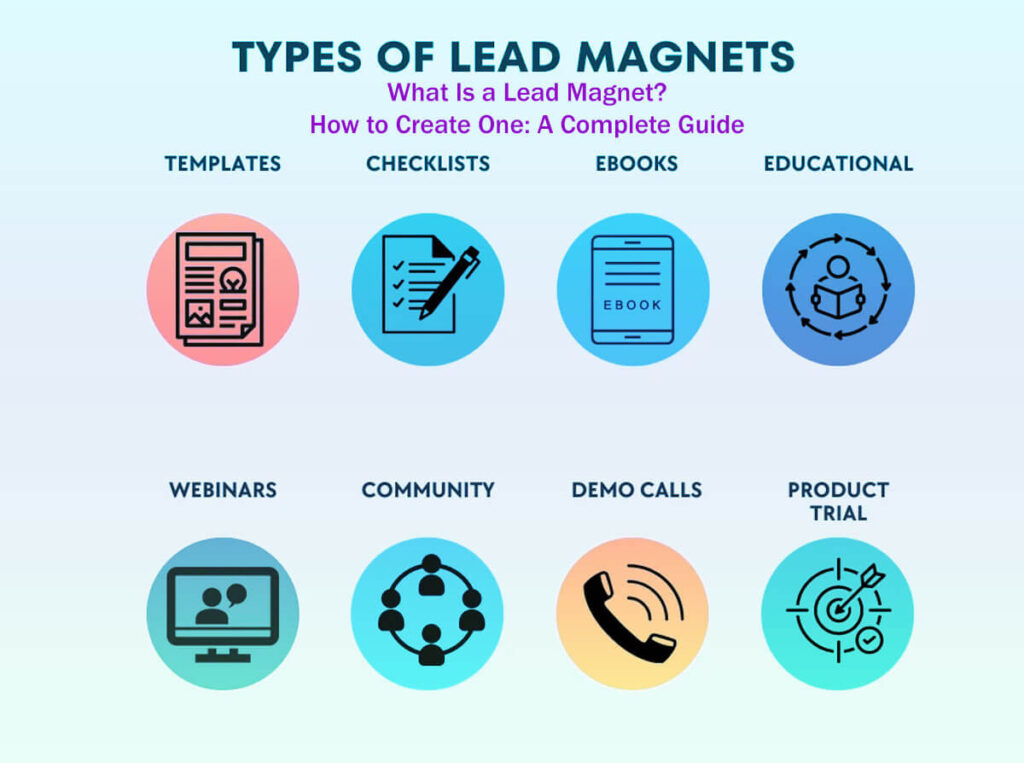
Example 1: E-Books
E-books can be great for engaging your audience if you put thought into them.
But if they’re full of fluff, they can easily fall flat.
Try to make your e-book short but full of useful insights, so it goes deeper than a worksheet or checklist.
For example, Michael Hyatt offers a free e-book that promises to save you 10 hours each workweek.
The draw is the quick, real results he promises.
He builds trust right away by highlighting his success as a best-selling author and entrepreneur, which helps new readers feel more comfortable.
Example 2: Free Courses
One of my favorite strategies is to offer free courses.
Free courses can build trust, bring people back to your site, and get them in the habit of opening your emails.
People see free courses as valuable, so they’re more likely to finish them and not just see them as ads.
Example 3: Short Guides or Lists
If you know your field well, making short guides or detailed lists is a quick way to give value.
For example, Tim Soulo made a short lesson on how to get 100,000 monthly blog visitors on BloggerJet.
Since you know your topic, you could put together a helpful guide in a few hours and give your readers tips they can use right away.
By mixing up your content and offering real value, you’ll be more likely to attract and keep a loyal audience while growing your traffic.
Example 4: Free Trial
You don’t need to run a blog to see great results from using lead magnets.
One of the most effective lead magnets is a free trial, which many product and software companies use.
Offering a free trial helps attract new sign-ups and can also increase conversions later on.
Free trials work because people don’t want to lose access to something they’ve started to enjoy, which creates a strong emotional connection.
Here are two simple but powerful lead magnet ideas you can try:
1. Creating a High-Quality PDF Guide
How to Create a High-Quality PDF: A Guide?
Busy professionals often don’t have time to read long articles in detail.
To help with this, offer a downloadable PDF version of your article in exchange for an email address.
A prime example of this strategy is Brian Dean, who frequently provides PDF downloads of his instructional content.
How to set it up:
Make sure the PDF is easy to download and available anytime, whether someone is at work, commuting, or relaxing at home.
This flexibility lets people read it whenever they want, which makes it feel more valuable.
If you’re short on time, making a PDF can be quick—it might only take a few minutes.
Add a personalized cover page to make your document look more valuable.
This simple step can make your PDF look polished and professional, like an e-book.
You can design the cover yourself with graphic tools or hire a designer from Fiverr.
Search for “e-book cover,” pick a top-rated designer, and remember that it may take a few days to finish.
Creating the PDF:
Start by copying your content into a new Google Doc or Word file.
Check your formatting and fix any mistakes to keep it clear and professional.
Google Docs can recognize WordPress header tags, which makes it easy to add a table of contents.
Go to “Insert > Table of contents” to link your section headers and help readers navigate.
Add your cover design to the first page. When everything looks good, download the file as a PDF by choosing “File > Download.”
2. Creating an Engaging Checklist
How to Create a High-Quality Checklist
Checklists help by breaking big tasks into smaller, easy-to-follow steps.
They work especially well for showing specific tactics or methods.
Instead of a basic Yes/No checklist, try making one that looks good and encourages people to print and use it often.
Creating a Compelling Checklist:
A great example of this approach is Bryan Harris from Video Fruit, who showcases an engaging Gary Vaynerchuk Strategy Checklist & Guide.
His checklist stands out for its unique cover, attractive layout, and polished look, which make it a favorite to use again and again.
Steps to Design an Attractive Checklist:
For a professional look, design the cover and layout yourself or hire a designer from Fiverr.
You can use tools like Adobe Illustrator, but Google Docs is enough to make a good-looking design.
Begin with a headline that grabs attention.
Choose a font that’s easy to read and stands out. Try making it bold and much larger than the rest of the text.
Pick nice fonts and use images that are the right size. Add a short description to give users some context.
To distinguish the header from the main content, add a horizontal line by selecting “Insert > Horizontal line.”
Structure:
Make sure checkboxes, step names, and numbers line up neatly. Create a simple 1×3 table by choosing “Insert > Table.”
You can use Google Docs’ drag-and-drop feature to adjust the layout by moving the cell borders.
For your checklist, make a square checkbox in the left cell. Use white text on a black background to make it stand out.
Type the name of each step in the center cell.
To add a small square checkbox in the right cell, go to “Insert > Drawing,” pick the rectangle shape, and hold Shift while drawing to make it a perfect square.
When your design is ready, click “Save & Close.” You may need to resize the square in the cell to align it better.
By following these steps, you’ll make a checklist that looks good and is easy to use. It will encourage people to use it often and get real value from it.
How to Reach 7 Billion Retweets with Your Social Media Strategy
Start your project by formatting your document. Make a table with three cells.
This setup helps keep your information clear and organized.
Once the table is ready, highlight all the cells, right-click, and choose “Table Properties.”
A dialog box will appear to help you customize your table’s appearance.
To make the table borders go away, just set the border width to “0 pt”.
Makes the table blend into your document and gives it a polished look.
Next, pay attention to how the content is lined up vertically in each cell.
Centering the text vertically makes your document easier to read and looks better overall.
This step can be somewhat tricky, but it makes your document look more polished.
After setting up your table, use the space below it to write detailed descriptions for each step of your social media strategy.
If you want your examples to stand out, use the ruler at the top of the document to indent them.
Drag the blue pointer to move the text where you want it in relation to the title.
To save time, copy and paste text instead of retyping it. Makes the process much faster.
If you want your document to look even better, try adding a background color that matches your theme.
To do this, go to “File” and select “Page Setup.”
There, pick the page color you like from the options.
You can also create a custom color that fits your brand.
After these steps, your document will become an attractive checklist that shows off your work in Google Docs.
If you add an eye-catching cover, this document can become a strong lead magnet, encouraging people to share their email addresses for your content.
8. Understanding the Effect of Pop-Ups
Pop-ups are an effective way to increase sign-ups and engage users more.
However, how they are used matters; poorly designed pop-ups can irritate users and may prevent them from participating further.
Studies show that well-designed campaigns can achieve conversion rates in the double digits, while carefully crafted pop-ups often achieve rates in the mid-single digits.
If you’re concerned about higher bounce rates, know that bad pop-up design can cause this.
Nevertheless, numerous websites observe minimal variation in bounce rates or page duration when pop-ups are employed effectively.
So, what makes pop-ups work well?
Here are three important things to consider:
Factor #1: Timing for Your Pop-Up
When your pop-up appears is key to its success.
Even regular visitors might close a pop-up right away if it appears too soon after they arrive.
Research suggests that showing a pop-up about 10 seconds after the page loads works best, since it gives users time to look around first.
You can also use “exit-intent” technology, which shows a pop-up when someone’s cursor moves toward the browser’s close button.
It can catch people’s attention just as they’re about to leave your site.
For example, XeroShoes increased its opt-ins by 2.5% using this method.
Factor #2: Frequency of Display
Pay attention to how often you show pop-ups. Showing the same one on every page can annoy visitors.
Instead, use cookies or local storage to limit how often the pop-up appears.
This way, returning users see the pop-up less often—ideally, only once a week.
Factor #3: Ease of Closing the Pop-Up
One of the most important things is making sure users can easily close the pop-up.
If the close button is small or hard to find, especially on phones, users can get frustrated.
So, make the close button big and easy to see so users can close the pop-up quickly.
In conjunction with these recommendations, adhere to established user experience best practices and ensure compliance with relevant regulations such as GDPR and CCPA.
A safer option: Slide-in forms
Be clear about permissions and let users know how you’ll handle their data.
If you don’t want to use regular pop-ups, try slide-in forms instead.
Slide-in forms are a softer way to get attention without blocking your main content.
A small box can pop up in the bottom corner after someone scrolls down the page a bit.
The gentle movement of a slide-in can catch attention without being too distracting.
For example, HubSpot found that its slide-ins performed 27% better than static forms at the end of posts in one test.
Just make sure your slide-ins don’t cover important buttons or menus on mobile devices.
By using these tips, you can make the most of pop-ups and slide-ins to increase engagement and conversions on your site.
9. Creating an Opt-In Form That Converts Well
A well-crafted opt-in form is essential for expanding your email list and establishing a connection with your audience.
Whether you choose pop-ups or static forms, the fundamental principles for achieving high conversion rates remain consistent.
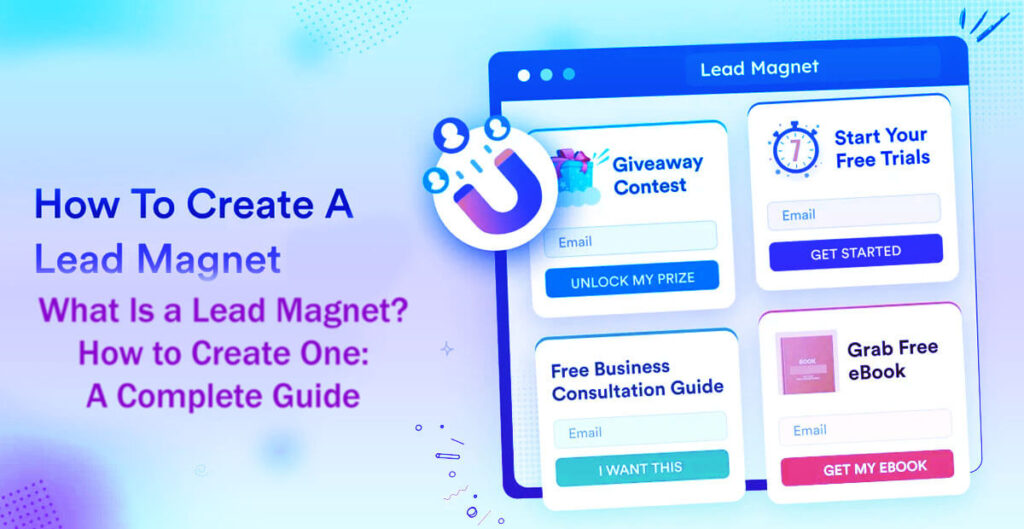
To boost your results, focus on three things: your call to action (CTA), your headline, and your offer.
Factor #1: Offer Value
To attract new subscribers, your offer needs to give real value that matters to your audience.
Means offering more than just basic perks.
Take time to learn what your audience wants and needs, and what problems they face.
Whether you offer an ebook, special discounts, a free trial, or premium content, make sure your incentive is strong enough that people want to give you their email.
Show the benefits and real uses of your offer so people see its value.
Factor #2: Clear Headlines
The headline on your opt-in form is key to catching people’s attention.
It should be clear, short, and tell readers exactly what they’ll get.
Use simple language that speaks to your audience.
Make phrases like “Download Now” or “Get Your Free Copy” stand out as a clear promise of what readers will get.
Make sure your headline looks good and stands out by using bold text or bright colors.
Factor #3: Use First-Person Calls to Action
A strong call to action is important at every step of the opt-in process.
After the email field, let users know what will happen next.
Using first-person phrases on your button, like “Yes, I want this!” or “Send me my free guide!” can really boost engagement.
This personal touch helps users connect and highlights what they’ll get when they sign up.
Try out different CTA phrases and designs to see which ones your audience likes best.
By following these tips, you can build an opt-in process that connects with your audience and boosts your conversion rates.
A good opt-in form can turn casual visitors into loyal subscribers and, eventually, customers.
Effective Call-to-Actions (CTAs)
When you create a call to action, choose words that encourage your audience to get involved.
Consider using phrases such as:
- “Yes, I would like more traffic.”
- “Teach me how to increase my subscriber base.”
- “Tell me your secrets.”
These phrases help make your message feel personal and show users exactly what you want them to do.
Derek Halpern’s website, Social Triggers, is a great example of how to boost engagement.
Instead of using generic Yes/No buttons, he uses first-person language and chooses engaging options over a simple ‘x’ to close pop-ups.
This simple change can make visitors feel more involved and improve their interactions with your site.
Exploring Options for CTA Variation
Trying different CTA strategies can bring great results.
For example, if someone sees a prompt that says, “I reject the free e-book,” it might look like they are just saying no.
However, creative approaches like this can actually lead to better user responses.
When you let users choose to decline a CTA, it feels more like a conversation and less like a transaction.
It can help build trust and stronger connections.
10. Top Email Collection Tools
To collect email addresses, you can either make your own static forms or use templates from popular services like Mailchimp and AWeber.
Both options work well, but in-content offers and pop-ups usually get the best conversion rates.
Specialized tools can simplify this process and enable you to achieve better results without complex setups.
Option 1: Hello Bar
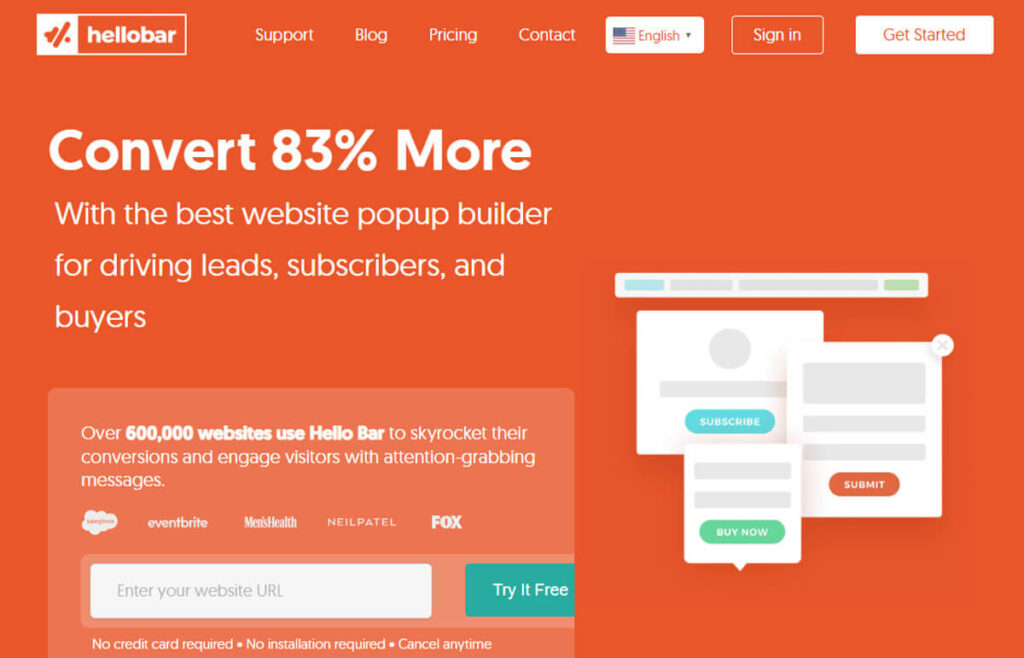
Hello Bar is a great tool with a simple, clean design.
It includes pop-ups, notification bars, and slide-ins that help you grab visitors’ attention and drive more email sign-ups.
This tool is easy to use and can help your website get more conversions.
Cost: Hello Bar provides a free plan with basic features.
If you need more features or higher limits, there are several premium plans to choose from.
I’ve used Hello Bar to grow my blogs and reach over 100,000 subscribers.
Option 2: OptinMonster
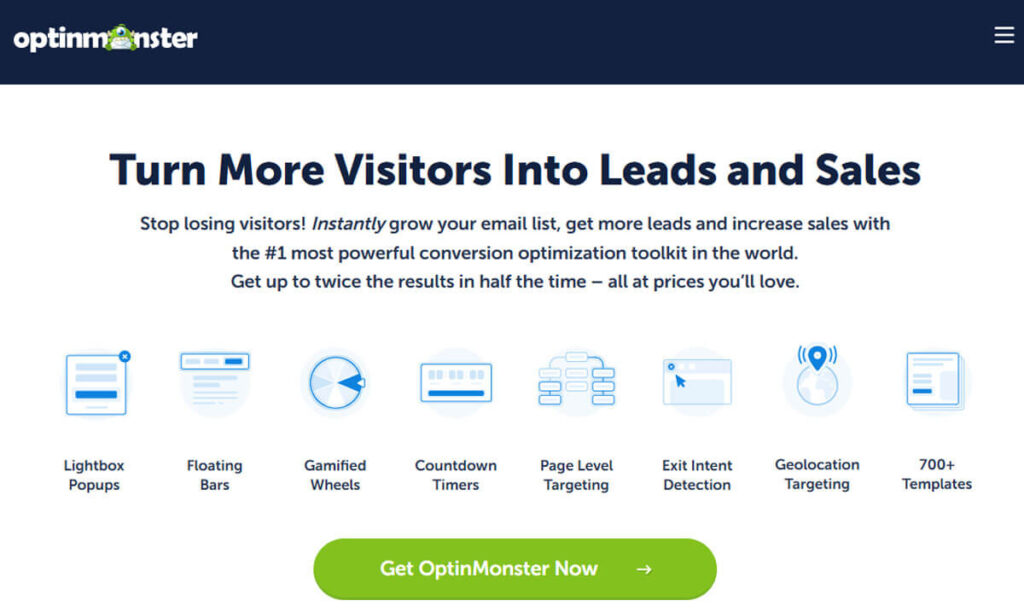
OptinMonster is a flexible tool known for its strong targeting and A/B testing features.
Created by Syed Balkhi and Thomas Griffin, it provides marketers with the tools needed to increase user engagement.
Cost: OptinMonster’s entry-level plans are competitively priced and often come with attractive annual discounts.
With higher-tier plans, you get advanced targeting, more page views, and exit-intent tools to help you get the most conversions.
Option 3: Leadpages
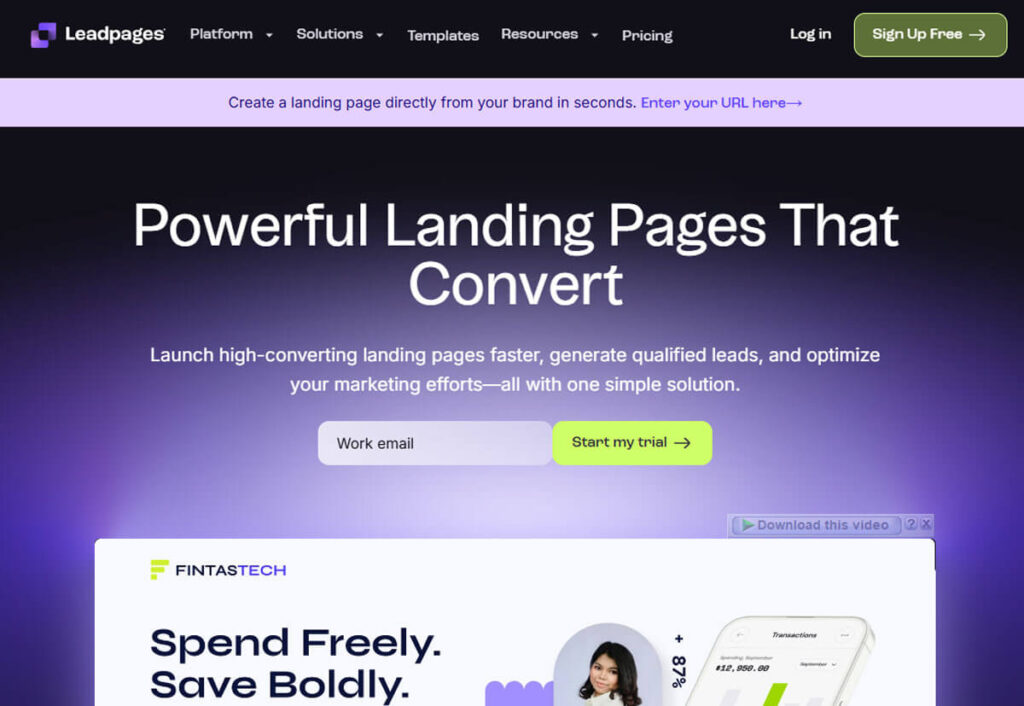
Leadpages is a top choice if you want high-converting landing pages and pop-up features.
Its simple design and strong features make it ideal for marketers looking to generate leads.
Cost: Standard plans depend on features and billing, but even a basic account lets you create unlimited landing pages.
This flexibility is helpful for businesses running many marketing campaigns across different websites.
11. Strategic Locations for Sending Email Requests
Best Places to Ask for Email Addresses
Knowing the best places to ask for email addresses is key to improving your conversion rates.
It’s important to go beyond traditional sidebar forms, which usually have conversion rates of less than 1%, often around 0.4%.
Location 1: The Homepage
Most visitors begin on your homepage, so it’s a great place to collect emails.
Adding a feature box at the top of your homepage, designed to prompt opt-ins, can really boost your conversion rates, since these visitors are already interested in your content.
Location 2: Inside Blog Posts
A lot of your web traffic comes from individual blog posts, so they’re a smart place to collect emails.
While standard sidebar forms are often ignored, in-content offers are significantly more effective.
Try putting your opt-in offer at the end of a blog post. Readers who just finished your content are more likely to subscribe.
Instead of just using timers, you can trigger pop-ups based on how long users stay on the page or how far they scroll.
Let’s show your offer when users are most engaged.
Location 3: The “About” Page
Your About page is often one of the most visited parts of your site because people want to learn more about you.
These visitors are usually interested in your content and are checking if you’re credible. It’s a great time to ask for their email addresses.
Your expertise alone might be enough to convince them to subscribe, even if you don’t offer extra incentives.
12. Understand the Two Primary Factors Influencing Opt-In Rates
In short, selecting appropriate locations and methods for requesting email addresses can increase your conversion rates and help build a robust subscriber base for future expansion.
An engaging About page with an email opt-in can help you connect with your audience and boost engagement.
To improve your opt-in rates, focus on the two main factors that influence whether someone decides to subscribe.
Factor #1 – Relevance:
Relevance is the first key factor. If your offer doesn’t match what readers are interested in, they’re much less likely to subscribe.
For example, if you’re writing about social media marketing but offer an e-book on yoga poses, readers probably won’t be interested.
This kind of mismatch usually leads to low participation and little interest.
On the other hand, if your article is about SEO and you offer a bonus e-book on social traffic strategies, you’re more likely to attract readers who want to subscribe.
To make your offers more relevant, create lead magnets that match each main post or topic.
This targeted approach boosts reader interest and strengthens engagement.
Bryan Harris, an expert in this area, has used this strategy to achieve opt-in rates of 20% to 30% and, after updating his content, up to 62%.
These numbers show how well a focused, relevant lead magnet can perform.
Factor #2 – Value:
The second key factor is value. Just making sure your lead magnet matches your content isn’t enough.
If your bonus is just a basic checklist or a list of resources that anyone can find with a quick Google search, it probably won’t get much attention.
But if you offer something truly valuable, like practical templates, detailed strategies, exclusive data, or insider tips, people will see your lead magnet as much more useful.
When readers expect real value before they even see your lead magnet, your opt-in rates can increase significantly.
In Conclusion
In short, lead magnets are great for building relationships with your readers and helping turn them into loyal customers.
It’s also important to infuse your lead magnets with passion and enthusiasm.
If you don’t, your opt-in rates might stay the same or even drop.
Getting great opt-in rates takes effort, but if you use these strategies, you’ll be well-positioned to see real results over time.
Even a small improvement, like two percentage points, can mean about 200 more subscribers each month.
Over a year, that adds up to about 2,400 new subscribers, especially if your site gets about 10,000 visitors a month.
If you manage your email list well, it could become a valuable asset worth more than $10,000.
Let this be your motivation to spend time analyzing and improving your email opt-in strategies.
In the end, building a strong opt-in strategy comes down to making smart choices.
Keep thinking about how your audience will react to new strategies, and don’t be afraid to try different approaches.
Use the tips in this guide to see what works best for your visitors, and adjust your tactics to build a strong, engaged subscriber list.
What Is Growth Hacking? The Ultimate Guide to Success: 13 Easy Steps
How to Monitor Your Competitors: 15 Easy Ways To Track Them
How to Promote Your Business Locally: 20 Easy Ways to Grow Your Local Business
What Is a Sales Conversion Rate? How to Increase: 6 Easy Steps
What is a Customer Loyalty Program? How to Increase Sales: 9 Effective Strategies