





Here’s a quick look at the main topics we’ll cover: What is Schema Markup and How to Use It? Why Is It Important?, simple steps to get started, and ways to improve your content for search engines.
The importance of schema markup, how rich snippets affect SEO, using plugins, creating JSON-LD without WordPress, tips from experienced SEOs, avoiding common schema mistakes,
Applying schema, using structured data generators, adding and testing markup correctly, and the impact on SEO and click-through rates.
Product reviews, local business pages, structuring your content, and how to include schema markup in your SEO strategy.
Enhancing the Efficiency of Content Optimization
One effective yet often overlooked way to improve content optimization is to use schema markup, also called structured data.
This method helps clarify your content’s meaning for both users and, even more importantly, for search engines.
Using schema markup can help website owners make their content more visible and relevant in search results, which attracts both search engines and visitors.
What Is Schema Markup and How to Use It?
How to Refine Your Content for Search Engines?
How to Improve Your Content for Search Engines?

Search engines are the primary users of microdata on web pages.
Visitors usually won’t see this embedded information unless they look at the page’s source code, but it is important for how search engines understand and organize your content.
As of 2026, Google mainly recommends using JSON-LD (JavaScript Object Notation for Linked Data) for schema markup.
JSON-LD is easier to use and understand because it is embedded as a script snippet.
Learning how microdata works can help you optimize your site more effectively and better understand the technology behind it.
Microdata and HTML are similar in some ways, but they have different purposes.
The main goal of microdata is to clearly describe specific parts of your content so machines can easily recognize entities, relationships, and details.
Recently, Google has gotten much better at finding and understanding this data, but the technology still has some limits and can sometimes be misunderstood.
Properly used, structured data helps search engines better understand and organize your content.
Can help your site qualify for rich results like product listings, recipes, events, reviews, and more.
However, not all markup formats are treated the same way by Google.
It’s best to use popular markup types, especially on larger websites, because Google still provides limited support for some result categories.
For example, FAQs usually show up for trusted sources like health or government sites, and “HowTo” rich results are now less common.
The Importance of Schema Markup
Among all the microdata formats, focus mainly on schema markup.
All major search engines recognize and support this detailed microdata library, so it’s a reliable choice for content creators and website owners.
Top search engines like Google, Microsoft, Yahoo, and Yandex saw the value of schema markup and worked together to create a standard library called schema.org.
The Effect of Rich Snippets on SEO
How Rich Snippets Enhance Your SEO

It’s important to understand that schema markup doesn’t directly improve your search rankings; however, it significantly enhances the chances of qualifying for enhanced search features.
Increased visibility can help improve click-through rates, which is a main goal for website owners and digital marketers looking for more traffic and engagement.
As mentioned earlier, you should only add schema markup to the most relevant parts of your content.
The main purpose of microdata is to help search engines create richer search results and judge how relevant a webpage is.
When you add more detailed and relevant information with on-page markup, search engines can better understand your content, which can improve your search performance.
Web admins can get the most out of this process by using a consistent markup language and choosing the right schema for their sites.
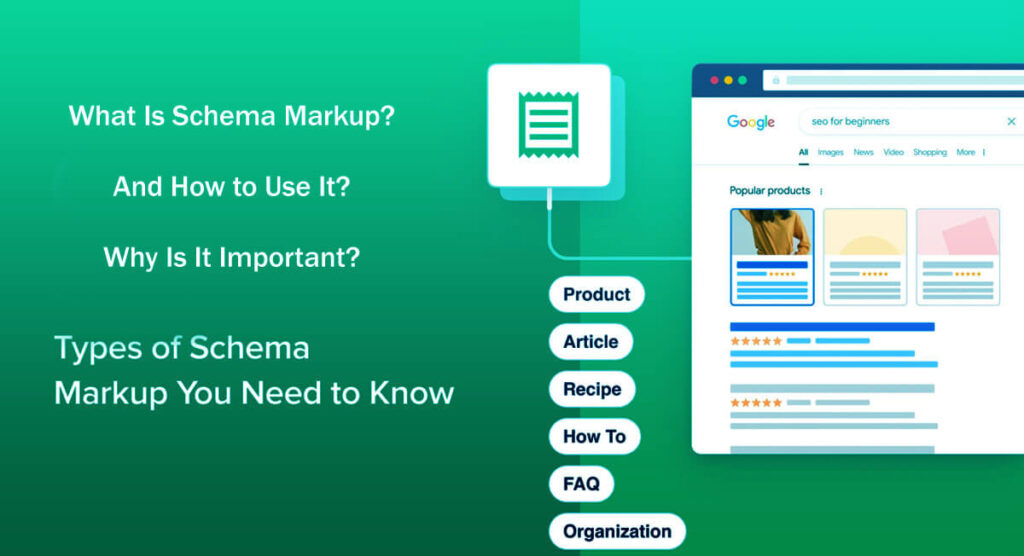
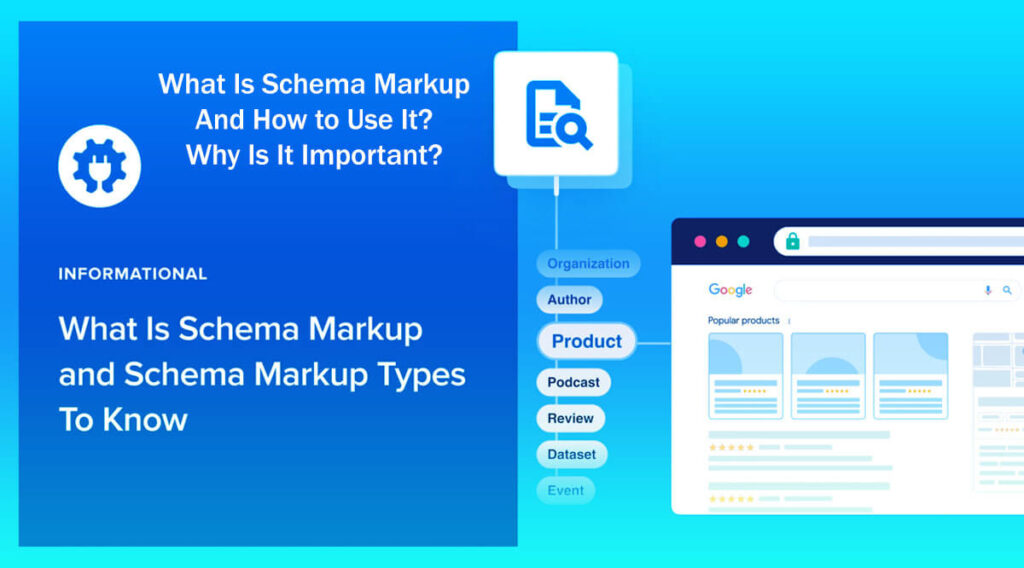
One main way Google uses schema is to create “rich snippets,” which are search results with features beyond plain text.
Rich snippets often include extra details such as images, ratings, reviews, and breadcrumbs. These features make the search experience better and give users more useful information right away.
In summary, understanding schema markup and its function is essential for anyone looking to optimize their content for search engines.
This approach helps boost your online visibility and puts your website in a better position to attract and engage more people, leading to greater digital success.
A colorful salad recipe with an appealing photo is a great example of how rich snippets work in search results.
Rich snippets are enhanced search results that display useful details right away, such as star ratings, cooking times, ingredient lists, and how-to instructions.
Rich snippets often lead more people to click your website link than regular search results do.
This increase in clicks can bring more visitors to your site, which often means more people sign up for newsletters, make purchases, or interact with your content.
Rich snippets don’t guarantee better search rankings, but they do improve the user experience.
Rich snippets help meet users’ needs, making them more satisfied.
Search engines consider user satisfaction when ranking websites.
Structured data also helps improve user engagement with your site.
When you use structured data well, you can reduce ‘short clicks,’ which happen when visitors leave your site quickly because they didn’t find what they needed.
With rich snippets, people can find what they need faster, so they’re less likely to leave your site right away.
Rich snippets can show up in different parts of search results, but they have the biggest impact when your content is already on the first page and meets the requirements for rich results.
Schema markup still isn’t used to its full potential on most websites.
Many website owners haven’t yet realized all the benefits of structured data, especially beyond just the basic Organization or Article types.
If you haven’t started using schema markup yet, keep in mind that Google still values structured data, so it will likely stay important for a long time.
Because not many sites use structured data well, this is a big opportunity for website owners.
If you start using schema now, you can stand out from your competitors and attract more visitors before it becomes common in your field.
Still, there are a few reasons why website owners hesitate to add schema markup.
Many people find schemas complicated and think it takes a long time to set up.
Because structured data is part of technical SEO, it can feel overwhelming if you don’t have experience in this area.
But even if you’re not a technical expert, there are easy and safe ways to add schema, which I’ll cover at the end of this post.
Time is another concern, since many website owners find it hard to fit these changes into their busy schedules.
But if your website is in a niche where schema is especially useful, not using it can make it harder to compete.
Once you get used to structured data, adding it to each post only takes a few minutes, and the benefits are worth the small effort.
It’s important to remember that just adding schema doesn’t guarantee you’ll get rich snippets.
Things like how accurate your information is, following Google’s guidelines, the quality of your page, and the types of results supported all affect whether you get rich snippets.
If you follow these guidelines closely, you might see better visibility after Google recrawls your site, but it’s not guaranteed.
Option 1: Use a Plugin Schema & Structured Data for WP & AMP

A simple way to use schema without much technical know-how is to use a plugin, especially if your site runs on WordPress.
One easy-to-use option is the “Schema & Structured Data for WP & AMP” plugin.
Find it by searching “schema” in the “add plugins” area of your WordPress dashboard or download it from the WordPress plugin repository. Makes it easy to find and start using!
After installing the plugin, set up your global settings by adding details such as your organization or personal information, logo, and contact information.
Besides global info, you can choose schema types for each post, like articles, products, FAQ pages, and more.
Most good SEO plugins will automatically create strong JSON-LD structured data for you, making it easier to optimize your content for search engines.
Adding schema markup is easier than ever thanks to a range of helpful plugins made just for this task.
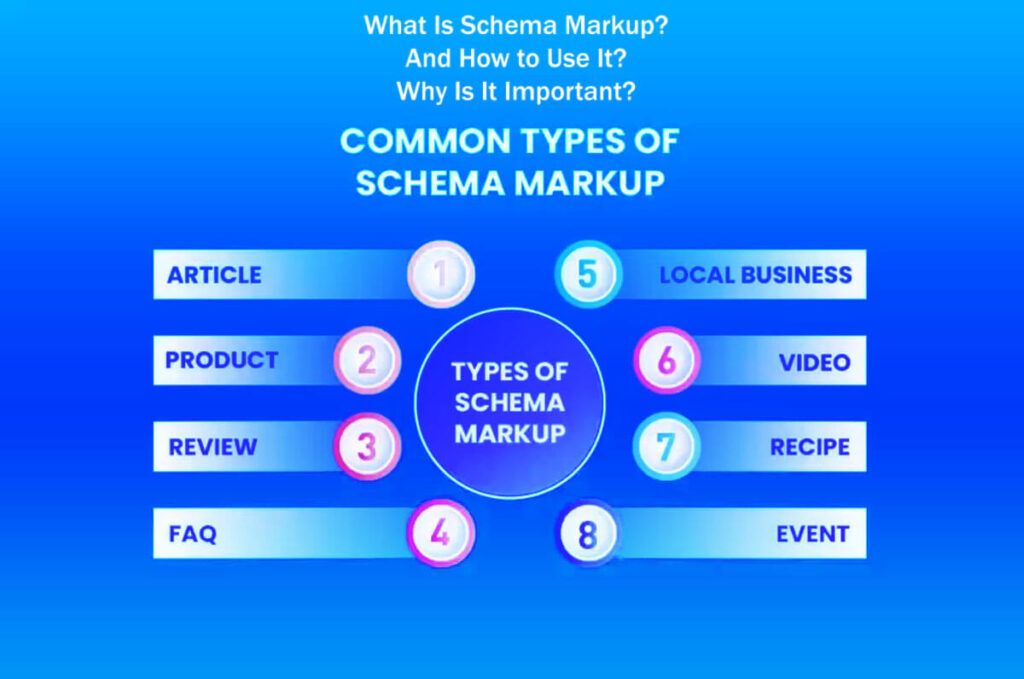
As you manage your content, you can choose from several main schema types, including articles, local business listings, product details, and reviews.
Each schema type helps boost your website’s visibility in search results and can improve its performance.
Once you choose a schema type, the plugin walks you through easy-to-use text boxes.
These boxes are designed to collect all necessary details for your selected schema type, enabling you to provide comprehensive, relevant information.
This step-by-step process makes adding schema markup to your webpages much simpler.
Once you’ve filled in the required fields with accurate information, click the “insert” button.
The plugin will then add the schema markup to your webpage’s HTML, blending it with your existing content.
Although this plugin works well for most people, it does have some limitations.
If you need a more detailed schema, you might have to add some properties by hand after the first insertion.
Happens because the plugin might not include every possible attribute for each schema type.
Luckily, the plugin’s fields usually ask for the most important and helpful attributes needed to create rich snippets.
This feature can make your search result listings stand out.
It’s important to make sure your markup is correct and matches what visitors see on your website.
Keep your schema markup up to date and avoid adding fake reviews or misleading details, as these can erode trust in your site and confuse visitors.
Option 2: Create JSON-LD Without WordPress

If you’re not using WordPress, there are other ways to create JSON-LD markup.
Many people use other platforms or custom setups, and creating JSON-LD is still a good option for them.
You can find examples of different schema types on Schema.org, which offers clear instructions for creating your markup.
After you create your schema, add it to a `<script type=”application/ld+json”>` section in your site’s template.
There are also third-party schema generators to help with this, but it’s important to check your output before making it live.
The Schema Markup Validator is a great tool for ensuring your schema is correct.
Google’s Rich Results Test can also show if your markup qualifies for special features in search results.
If you’re an experienced SEO, you might sometimes skip these tools and create schema manually when it works better.
Option 3 (For Experienced SEO): Skip the Tools
These tools are designed to save you time and effort, often providing more dependable results than manual work.
However, these generators aren’t very flexible, so you might need to make manual changes later if you want to add extra properties or update your setup quickly.
Rather than starting over, you can add JSON-LD by hand to match your page content, then check it again with the tools mentioned earlier.
How to Prevent Common Schema Mistakes
It’s important to remember that schema markup errors are often harder to spot than mistakes in regular HTML or CSS.
Problems like a broken page or bad formatting are easy to notice, but schema errors can slip by unnoticed.
That’s why it’s so important to double-check your schema markup.
Mistakes can keep you from getting rich snippets and hurt your SEO results.
Use the Schema Markup Validator and Rich Results Test regularly to catch any errors or warnings.
Also, could you keep an eye on your Search Console enhancement reports for any issues?
These tools are easy to use. Just paste your code or enter a URL to find errors or warnings, fix them, and test again until your schema is correct.
To sum up, if you’ve used the strategies and tips shared here, you’re already ahead of many others in the field.
Applying Schema in Practice: Detailed Step-by-Step Examples
Many people understand the theory behind schema markup, but find it hard to put it into practice.
In this last section, I’ll point out some real situations where SEOs can use schema markup effectively on their websites.
When should you use schema markup? It’s especially useful for certain types of content.
Spotting these chances is the key to making the most of schema markup.
Rich snippets often show up on pages about movies, products, reviews, and local businesses.
As an SEO, you’ll probably work with many types of content. Here are three examples where schema can really make a difference:
Use a Structured Data Generator

Use a Structured Data Generator: If you do not have a coding background or find structured data markup challenging, a structured data generator can make the process much easier.
Tools such as Google’s Structured Data Markup Helper are easy to use and help you create schema markup without needing much technical knowledge.
These generators usually walk you through each step and let you enter your content right into the tool.
After you add your information, the tool creates the right structured data format for you to add to your website.
There are many online generators, and each offers templates for different types of schema markup. You’ll be able to choose the one that works best for your content.
Add the Markup Correctly
Add the Markup Correctly: Once you have your schema markup, the next important step is to put it in the right place on your website.
Means adding the generated markup directly to your site’s HTML.
Depending on what you are marking up, such as articles, products, or events, you will need to find the best spot to add the markup.
Usually, you can add the markup in the HTML section or right where the related content appears on your page.
Correctly positioning markup is essential for search engines to locate and interpret your content easily. Poor placement may hinder your site’s visibility in search results.
Test Your Markup
Test Your Markup: After you add the schema markup, test it to ensure it works as expected.
You can utilize tools such as Google’s Rich Results Test or the Schema Markup Validator to identify any errors in your structured data.
Testing helps you find problems that might prevent search engines from correctly reading your markup. It also checks if your markup meets the right standards.
Having error-free markup is important because it can help your site show up better in search results and improve your SEO.
Stay Updated
Stay informed: Schema markup continually changes as search engines update algorithms and add new features, making it an ongoing process.
It is a good idea to check for updates from trusted sources like Schema.org and official search engine documentation.
Staying informed helps you keep your structured data up to date and lets you take advantage of new ways to improve your search visibility.
Product Evaluations and Their Impact on SEO
Product Reviews: Boost Click-Through Rates Using Rich Snippets
Adding rich snippets to your product pages can make them stand out more in search results.
Star ratings are particularly effective because they attract attention and motivate people to click on your product listings.
You’ll see these star ratings right under product titles. They grab attention and quickly share important details.
Rich snippets can also show other useful details, like:
Total Number of Reviews: This shows how popular and trustworthy a product is.
Current Pricing: Showing clear prices can help people decide to buy.
Product Availability: Letting users know what’s in stock helps them make better choices.
Recent reviews matter most to users. People usually trust newer feedback more than older reviews.
Always show the review date with star ratings so buyers know how up-to-date the feedback is.
To appear in review search results, make sure you follow the Product and Review schema markup standards.
Means your structured data should match the ratings users actually see for each product, not just general or site-wide ratings.
It’s a good idea to use a JSON-LD generator or a plugin to quickly and easily create your markup.
After you add your markup, check it with tools like the Rich Results Test to make sure it works right.
Local Business Pages: Using Schema Markup to Enhance Visibility
Schema markup helps local businesses communicate essential details to search engines more effectively.
Key details include your business name, address, phone number (NAP), hours, and other useful info.
Using LocalBusiness schema markup regularly helps search engines link your business to the right online profiles.
Your Google Business Profile is still the main way to appear in local searches, but structured data can strengthen this connection.
Key elements to include in your LocalBusiness schema markup are:
sameAs Profiles: These connect your business to your social media and other important online profiles, helping build your brand’s online presence.
Basic Contact Information: Include your business name, address, phone number, and hours so customers can easily contact you.
Geo-coordinates: Adding exact location data makes it easier for people to find your business.
Logo: Use a logo that’s the right size so it looks good in search results and helps with branding.
Consistency is key. Please make sure your NAP details are consistent across all platforms, including your website and other listings.
After you add schema markup, check regularly to ensure your information remains accurate, especially after you update your content.
Articles: Structuring Content for Better Discovery
Schema markup assists search engines in comprehending your website or blog content more effectively. Important details to include are:
Author’s Name: Listing the author helps build trust and shows who wrote the content.
Article Headline: Ensure your title is clear so it displays correctly in search results.
Publication Date: Showing when the article was published helps readers know how recent it is, which matters a lot for news.
Last Modified Date: Letting readers see when you last updated the article shows it’s still relevant.
Featured Image: Adding an eye-catching image can help more people click on your article.
Main Entity of the Page: Clearly stating what your article is about helps search engines classify it.
Including this structured data helps search engines better understand your content and can increase your likelihood of appearing in sections like “Top Stories,” provided other criteria are also met.
Ensure the author’s name and publication date are clearly visible to readers. This transparency helps establish trust.
To keep your brand consistent, use the same author information throughout your website.
Keep an Eye on Your Results
Keep an Eye on Your Results: After you add schema markup, keep checking how your website is doing in search results.
By watching your results, you can see whether your pages are showing rich snippets, special listings that can help more people click through to your site.
Tracking your search visibility also shows how well your structured data is working.
Tools like Google Search Console can show you how your structured data is performing and alert you to any indexing issues.
Follow Best Practices

Follow Best Practices: When you add schema markup, following best practices helps you avoid possible penalties from search engines.
Please make sure your schema markup matches the content it describes and accurately shows what is on your site.
Do not add markup for content that is not on your site or could mislead users, since this can hurt your SEO.
Also, keeping your structured data simple makes it easier for search engines to read and process, which helps your markup work better.
By following these tips, you can make the most of your structured data and boost your site’s search performance.
Conclusion: The Significance of Schema Markup in Your SEO Strategy
Small SEO improvements can make the difference between getting a few visitors and seeing a big jump in your website traffic.
Schema markup is one of the best tools for making these improvements.
When you add structured data that matches what’s on your page, you can get rich results that boost your search visibility and bring in better leads.
Now that you understand schema markup, could you start using it on your website?
Focus on the most important templates: Products, Articles, and Local Businesses.
To make sure everything works, check your structured data with the Schema Markup Validator and the Rich Results Test.
Keep your schema markup up to date as your content changes so you always follow SEO best practices.
130 Best Email Subject Lines and Insights from Our Analysis
15 Easy Ways: How to Increase Revenue: Target Impulse Buys
How to Avoid Friction Points: Avoiding Customer Service Outages 16 Steps
What Is Psychology Pricing: A Complete Guide in 8 Easy Steps
Focus on Your Customers: 6 Tips and Strategies to Enhance