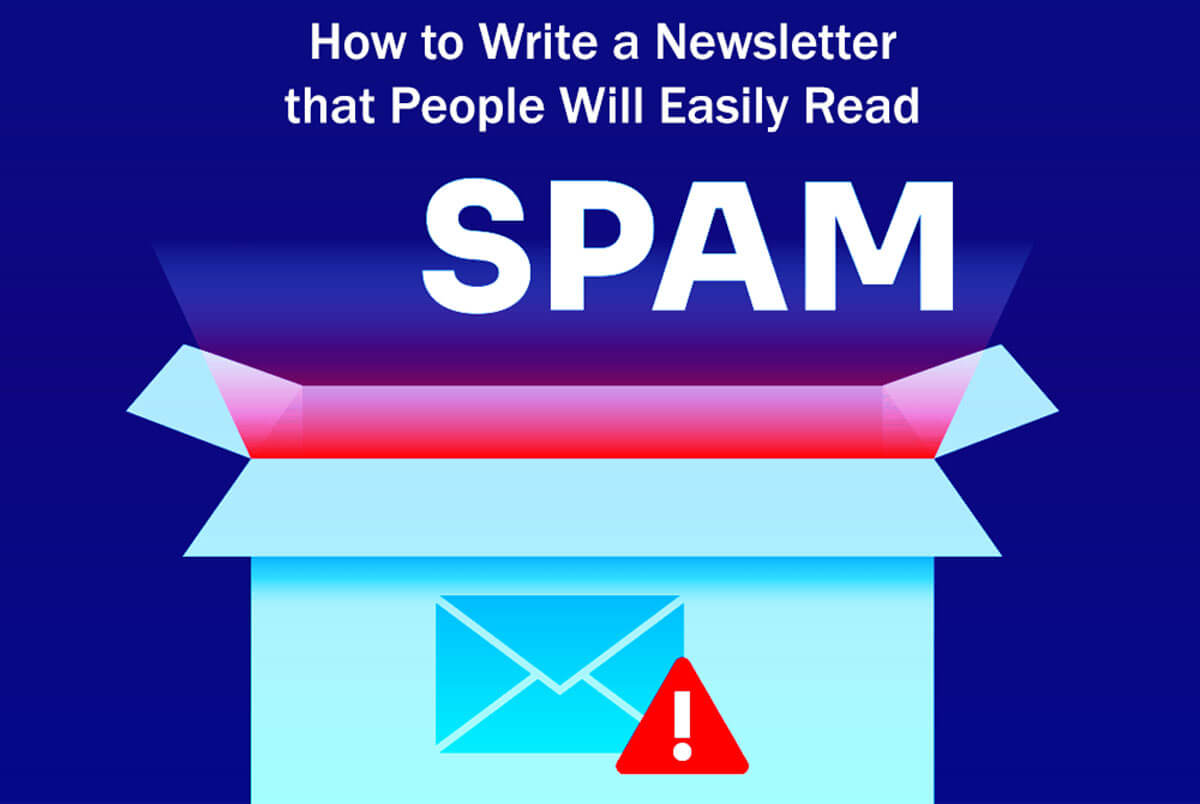





Learn easy ways to How to Prevent Your Email From Being Marked As Spam. Find out what spam is, how people view it, and get practical tips for email marketing.
You’ll also see the main CAN-SPAM rules, reasons to avoid buying email lists, and how to send emails the right way.
Get advice on choosing an email service provider and securing your domain to reduce your spam risk.
Certain links within this publication are affiliate links, implying that I may receive a modest commission should you opt to purchase them.
(This Online Web) truly appreciates your support—it’s what helps keep the content coming!
Still, my reviews and opinions are always honest and not influenced by these partnerships.
Email marketing should be a main focus for any business, regardless of industry.
It’s still one of the best ways to connect with your audience, build lasting relationships, and boost sales.
Email is also reliable, even when social media algorithms or search engines change unexpectedly.
In email marketing, delivering emails successfully and earning trust are as crucial as crafting quality content and designing attractive visuals.
Many marketers see email as a top way to find new leads and get the best return on investment.
That’s why it’s so important to make sure your emails actually reach your audience.
If you want to improve your email marketing, you’re on the right track.
But just sending more promotional emails doesn’t always lead to better results.
If you send too many emails, your audience might start ignoring them or even mark them as spam.
Even if you put a lot of effort into your emails, you might not always get the results you want.
Why does this happen?
Many things, like technology, laws, or even how your emails feel to readers, can accidentally trigger spam filters or lead to complaints.
Following some clear guidelines can help you avoid these problems.
Even if you don’t have email deliverability issues right now, learning about them can help you prevent problems in the future and keep your campaigns working well.
You want your emails to land in the inbox, get opened, and encourage action, so it’s important to avoid anything that could get them marked as spam.
If you don’t plan carefully, especially when it comes to getting permission, how often you send emails, and verifying your sender info, you could end up being seen as a spammer.
Even minor mistakes in your email’s formatting or wording can lead to legal trouble and damage your brand’s reputation.
Think of this advice as a helpful checklist to protect your email deliverability.
Next, let’s take a closer look at how people see and define spam.
How to Prevent Your Email From Being Marked As Spam?
How do people define spam?
How Consumers Understand Spam?
In the past, it was easy to spot spam emails.
They often came from unknown senders, had strange symbols in the subject line, or made wild claims like telling you that you won a contest you never entered.
Many of these emails contained questionable or unwanted content, and some included dangerous attachments or links that could compromise your security.
Now, most email services are good at catching these obvious spam messages and sending them straight to the spam folder.
But things have changed. People’s expectations are different now, and even well-known brands can get flagged as spam, even if the recipient knows them.
It’s surprising, but many people mark emails as spam—even ones they signed up for—if the content isn’t relevant, comes too often, or makes it hard to unsubscribe.
It is a big change for email marketers.
So, even people who chose to join your list might end up reporting your emails as spam without meaning to.
Studies show that sending emails or content that doesn’t match subscribers’ preferences is a major reason for these complaints.
So what does this mean for you?
Even respected companies can face problems if they don’t manage how often they email or make sure their content is relevant.
Before we get into specific strategies, let’s go over the basic legal rules every email sender should know.
Understanding the Law: Challenges in Email Marketing
Understanding these basics is key to handling the challenges of email marketing.
So that you know, I’m not a lawyer. I’ve done thorough research for this information, but to be sure you’re following all the rules, it’s best to check with a qualified attorney.
When email first became popular, some people took advantage of its weaknesses. Led to new rules designed to protect users.
The Federal Trade Commission (FTC) enforces the 2003 CAN-SPAM Act, which sets nationwide rules for commercial email in the U.S.
CAN-SPAM stands for the “Controlling the Assault of Non-Solicited Pornography and Marketing Act,” and it’s designed to help reduce unwanted and deceptive emails.
Its main goal is to address the problem of unsolicited and misleading email messages, making online communication safer and more trustworthy.
If you respect your subscribers’ choices and follow the FTC’s rules, staying compliant should be simple.
Below is a summary of the main rules from the FTC’s official guide. Every email marketer should understand these basics:
Important Key CAN-SPAM Guidelines and Rules
Avoid Deceptive Header Information: Ensure the “From,” “To,” “Reply-To,” and routing details clearly identify the sender.
Being clear about these details helps build trust and lets people know who is reaching out to them.
Avoid Misleading Subject Lines: The subject line should honestly reflect what’s inside the email.
If you use misleading subject lines, people may lose trust, get confused, or complain, which can hurt your reputation.
Identify Advertisements Clearly: Make sure it’s obvious when your email is an advertisement.
Being upfront builds trust and helps your recipients understand what kind of email they’re getting.
Add a Physical Address: Always include a real mailing address, whether it’s a street address, P.O. box, or mail-receiving service.
Not only does it make your emails look more legitimate, but it is also required by the CAN-SPAM Act.
Offer a Simple Way to Opt Out: Make it easy for people to unsubscribe from your emails.
The unsubscribe process should be simple so that people can remove themselves from your list without any hassle.
Respect Opt-Outs Immediately: Handle unsubscribe requests within 10 business days.
Also, make sure the unsubscribe option works for at least 30 days after someone requests removal.
Monitor Your Vendors: You’re still responsible for compliance, even if someone else sends emails for you.
So, keep a close eye on your vendors to make sure they follow the rules, too.
Breaking the CAN-SPAM Act can result in large fines for every email that violates the rules. Being open and getting consent is key.
Before starting any email marketing, it’s smart to talk to a lawyer to make sure you’re following all the rules.
Also, remember other laws like the General Data Protection Regulation (GDPR), the UK’s Privacy and Electronic Communications Regulations (PECR), and Canada’s Anti-Spam Legislation (CASL), especially if you’re emailing people in other countries.
In short, always get your recipients’ permission and respect their choices.
Top 11 Tips to Avoid Being Marked as Spam
1. Avoid Buying Email Lists
Steer Clear of Purchasing Email Lists: Buying email lists can seriously hurt your engagement rates.
If your emails feel unfamiliar or fake, even people who signed up might get annoyed.
Sending emails to individuals without their consent is risky and may breach privacy laws in various areas.
Buying email lists usually violates the rules of major email services and can trigger spam traps, which can ruin your engagement numbers.
The CAN-SPAM Act doesn’t require opt-in consent, but using permission-based marketing is a smart move for long-term success.
Since inboxes are already full, emails from unknown brands are more likely to get complaints than real engagement.
Focus on growing your own email list by clearly asking for consent and offering things like lead magnets, VIP access, or special deals.
2. Limit How Frequently You Send Emails
Limit the Frequency of Your Emails: Keep in mind, your subscribers aren’t thinking about your brand as much as you are.
Respecting their inbox space is important. Sending too many emails can lead to complaints, unsubscribes, and tired subscribers.
For most brands, starting with one email per week is a good idea.
Use your subscribers’ preferences and engagement data to adjust how often you email them.
Consider adding a preference center in your email footer or signup form so users can choose how often they want to hear from you (e.g., “weekly digest,” “sales only,” or “pause for 30 days”).
This simple step can help prevent your emails from being marked as spam.
3. One-Click Unsubscribe Option
Provide a One-Click Unsubscribe Option: If you send a lot of emails, you must now include a one-click unsubscribe feature (as defined by RFC 8058).
You must honor unsubscribe requests promptly, especially for major email providers.
If you send more than 5,000 emails a day, Yahoo now follows Gmail’s rule: you have two days to process unsubscribe requests.
Adding this feature to your email service provider’s settings and templates can help reduce spam complaints and make users happier.
By adhering to these best practices, you can develop an effective email marketing strategy that respects recipients’ consent, fosters engagement, and minimizes the likelihood of emails being flagged as spam.
4. Make Your “From” Address Clear and Recognizable
Make sure people can easily recognize who the email is from to build trust right away.
Pick a sender name that’s friendly and easy to recognize, like “Your Brand Name Newsletter,” and use a consistent, branded email address such as newsletter@yourdomain.com.
Stay away from unclear or generic addresses like donotreply@, since these can confuse people and make them trust you less.
Sending emails from your own domain rather than a free email provider makes your brand look more credible and professional.
Keep your “From” details the same in every email campaign so people can easily spot your messages.
If you need to use different addresses, like support@ or sales@, send all promotional emails from a single main address so your audience doesn’t get confused.
5. Avoid Deceiving Your Recipients
Refrain from using clickbait tactics. Although they might generate quick gains, they can harm your reputation and weaken your relationship with your audience in the long run.
Tricks like using fake “Fwd.” or “Re.” subject lines, making up urgent deadlines, bait-and-switch offers, or promising gifts you don’t deliver can make people unhappy and lead to more complaints.
Ensure your preview text aligns with your subject line and email content. Consistently fulfill your promises to establish trust over time.
People and spam filters are good at spotting tricks like hiding text in images or trying to get around spam rules.
6. Choose a Reliable Email Service Provider
Select a Trustworthy Email Service Provider: Pick a provider that offers strong deliverability tools, such as suppression lists, robust bounce handling, clear unsubscribe options, strong authentication, and an easy feedback loop setup.
Good email providers offer deliverability stats, such as inbox placement tests and ongoing spam complaint monitoring. They also enforce anti-abuse rules to keep your list clean.
Be careful with cheap email platforms that don’t follow strict rules. They can block entire IP ranges or domains, which can really hurt your email performance.
7. Warm Your IP and Authenticate Your Domain
These days, getting your emails delivered depends on having a good reputation and proper authentication, not just on things like “IP certification.”
Begin by setting up SPF (Sender Policy Framework) for your domain and making sure DKIM (DomainKeys Identified Mail) signing is in place to prove your emails are real.
Set up a DMARC (Domain-based Message Authentication, Reporting & Conformance) policy.
Start with “p=none” to monitor, then move to quarantine or reject as you get more comfortable with your email setup.
Gmail has its own spam-rate limits, and now both Yahoo and Gmail require DMARC for anyone sending large volumes of email.
Check your spam rates and domain health with Gmail Postmaster Tools.
If you have a dedicated IP, start by sending more emails to your most active subscribers to warm it up slowly.
With shared IPs, keeping your subscriber list clean helps everyone’s reputation.
Keep an eye on your stats with tools like Gmail Postmaster. Aim for a complaint rate well below the 0.3% industry standard on Gmail.
8. Clearly State Your Expectations
Set Clear Expectations: As soon as someone signs up, clearly tell them what kind of emails they’ll get and how often you’ll send them.
Being upfront helps avoid surprises and reduces complaints.
Make sure to cover these points:
Content: Clearly say what kind of emails they’ll get, like promotions, product updates, newsletters, or a mix.
Frequency: Set a regular email schedule. Instead of a strict timeline, think about adding a preference center so people can choose how often they hear from you.
Design and Sender: Use the same “From” name and address every time, and keep your email design polished and consistent with your brand.
9. Stay Relevant
Remain Current: Before you send an email, ask yourself, “Why does this matter to this subscriber right now?” If you can’t answer, rethink your content.
People want emails that are timely, relevant, and useful for their current needs. They don’t want generic reminders that you exist.
For example, if a furniture store sends out general weather updates, it probably won’t feel relevant to most people.
Instead, give people something useful, like a setup guide for something they just bought or a special discount on items they’ve already looked at.
Go beyond just using someone’s first name. Add real personalization to your automated emails, like welcome messages, post-purchase follow-ups, and re-engagement emails, so each one feels relevant and personal.
10. Divide Up Your List: Segment Your List
Segmenting your audience is key to communicating effectively with them.
Begin by grouping your subscribers based on factors such as age, gender, location, interests, where they are in the customer journey, and how they behave.
Includes their browsing habits, purchase history, level of engagement, and any past interactions with your brand.
When you create more focused and relevant groups, you’ll likely see better engagement and fewer complaints.
Think about making content that’s tailored to each group of subscribers.
For example, greet new subscribers with a personal message and a special offer to encourage their first purchase.
For loyal customers, offer exclusive deals based on their past purchases.
Be thoughtful in your approach. Leave recent buyers out of general promotional emails so you don’t send them offers they’ve already used.
Also, consider using a “sunsetting” strategy for subscribers who haven’t engaged in a while.
Targeted marketing improves your subscribers’ experience, helps protect your sender reputation, and boosts your open and click-through rates.
11. Become an Expert in Subject Lines: Master Your Subject Lines
Your subject line is the first thing people see, so it’s important to write it carefully.
Keep your subject line short and clear. It should directly show what your email is about.
Put the most important words at the start so they don’t get cut off on mobile devices.
Along with your subject line, use a preview text that adds something extra to your message rather than just repeating it.
Avoid using spammy phrases, excessive punctuation, or ALL CAPS, as these can lower engagement.
Test different versions of your subject lines. Personalizing them based on what your audience likes or has done before can make them much more effective.
Remember, your audience may prefer different styles and lengths, so use A/B testing to see what works best for them.
Usually, a real sense of urgency gets more attention than vague or exaggerated claims.
12. Verify the Risk of Spam Before Sending: Check Spam Risk Before Sending
Most Email Service Providers (ESPs) offer helpful pre-send checks to ensure your emails work well across devices and meet requirements.
Use these tools to preview your emails on different devices and in dark mode, scan your content, and check authentication to prevent delivery problems.
Watch out for common issues that can hurt your delivery, such as sending emails that are too large, using URL shorteners, or sending emails with only images.
Don’t use too many special characters or bright colors. Keep your footers short and relevant, not overly packed with links.
Always include a clear, plain-text version of your email to improve deliverability.
Be careful with your wording. Even though context matters more than specific “trigger words,” using too many promotional phrases can draw extra attention, especially in areas like finance and e-commerce.
Use a natural tone that honestly describes your offer.
Be careful with certain financial terms. Words like “$$$,” “Inexpensive,” “Beneficiary of a Bargain,” “The best deal,” and “Money” can hurt deliverability if used too often.
On the other hand, use e-commerce phrases carefully and honestly, like “Purchase now for clearance” or “Limited-time buyer’s special.”
Inbox providers now run strict technical checks.
These checks cover things like adding one-click unsubscribe options (and honoring them within two days), keeping Gmail spam complaints under 0.3%, making sure SPF/DKIM/DMARC are set up right, testing links for security (use HTTPS), adding alt text to images, checking you’re not on blocklists, and regularly removing inactive contacts.
Keep a close eye on your sender reputation and spam rate with tools like Gmail Postmaster Tools to help your emails get delivered.
If your inbox test or pre-send score shows problems, review your content, try sending to a smaller audience, or send less often before trying again.
13. Monitor Engagement Metrics
Monitor your engagement metrics closely, particularly open rates and click-through rates (CTR). Regularly tracking these figures is essential for understanding your email performance.
Open rates show what percentage of people actually open your emails. Things like your subject line, sender name, and when you send the email can all affect this number.
Click-through rates measure how many recipients interact with your email by clicking on links inside it.
If either metric is low, email service providers (ESPs) may see it as a sign that your content isn’t connecting with your audience.
If recipients disregard your emails, they may be perceived as unwelcome or irrelevant, potentially damaging your sender reputation and reducing the likelihood that your emails will be delivered to inboxes in future correspondence.
A poor sender reputation can cause your emails to end up in spam folders, reducing the number of people who see them.
Watching these metrics closely helps you learn what your audience likes and how they behave.
With this information, you can improve your emails by adjusting your message, better targeting your audience, and making your calls to action clearer.
You can also use A/B testing to see what works best for your audience.
Making these changes can improve your email performance, increase conversions, and build customer loyalty.
14. Provide an Easy Opt-Out Option
Ensure every email includes a clearly visible unsubscribe link.
It helps to put this link at both the top and bottom of your email so people can see it easily, without making the design too busy.
When someone clicks the unsubscribe link, the process should be simple and quick. One click is best, or just a few easy steps.
Making it easy for people to unsubscribe shows you respect their choices and helps them have a better experience with your brand.
This method lowers the chance of spam complaints, protecting your sender reputation and fostering a stronger relationship with your audience.
A strong sender reputation helps your emails reach the main inbox instead of the spam folder. Means more people will see and engage with your messages.
Having a clear and simple opt-out process demonstrates professionalism and helps build trust with your subscribers.
When people know you care about their preferences, they are more likely to respond well to your emails, even if they decide to unsubscribe.
Over time, this approach can help you build a loyal audience and a stronger brand by showing you value customer satisfaction and feedback.
In Conclusion
Email is still one of the best ways to communicate and get results, but your messages need to reach recipients’ inboxes and be welcomed.
Expectations for email have gone up. Even big brands can get warnings if they send too many emails, ignore subscribers’ preferences, or skip important security steps.
Make sure your emails are relevant, clear, and sent with your subscribers’ clear permission.
Set clear rules for your email practices, verify your domain, keep your mailing lists clean and active, and let subscribers choose how often they hear from you.
Use all the deliverability tools your ESP offers, test your emails before sending, and keep a close watch on engagement and complaints.
By consistently following these strategies, you’ll enhance your email deliverability, safeguard your sender reputation, and boost your campaign success with higher open rates, more clicks, and greater revenue.
How to Write Emails Your Subscribers Will Open Quickly: 8 Easy Steps to Follow
What Is Customer Psychology: A Complete Guide 5 Easy Steps
Guaranteed Removals Review: Simple Pros and Cons 12 Steps
8 Easy Ways: How to Remove News Articles from the Internet
10 Best Tools to Track Your Brand With AI Overview & Chat Assistant